Now Reading: Nearest Server Region Finder For Games — Test 19+ Server Regions with Lowest Ping Instantly
- 01
Nearest Server Region Finder For Games — Test 19+ Server Regions with Lowest Ping Instantly

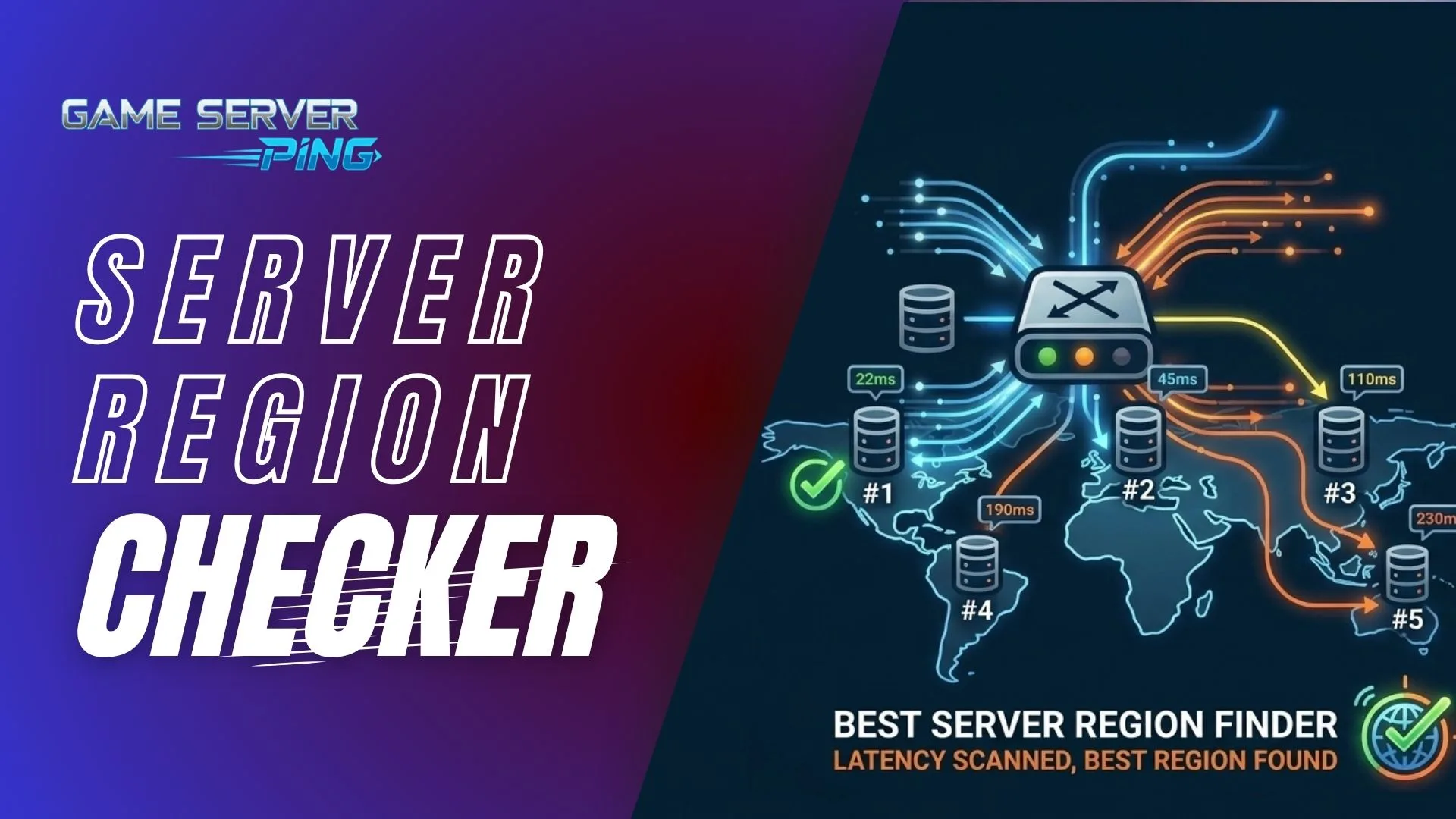
Nearest Server Region Finder For Games — Test 19+ Server Regions with Lowest Ping Instantly

You load into a Valorant ranked match. Your crosshair feels sticky. Your shots are registering half a second late. You check the in-game ping indicator and it says 85ms. Your friend in the same city is on 22ms and fragging out. You are both on the same internet plan. The only difference is the nearest server region your client connected to.
This is the most common performance problem in online gaming and it is almost never talked about. Players spend hundreds of dollars on gaming peripherals, upgrade their PCs, and obsess over frame rates — then completely ignore the one setting that directly determines how responsive the game feels. Nearest Server region selection is not a minor tweak. For competitive play it is the single most impactful configuration in the entire game settings menu.
The Nearest Server Region Finder below solves this permanently. It runs a live test from your connection to every major game server region in the world, ranks them from lowest to highest latency, and tells you exactly which server is near region to select in your game. No guesswork, no forum threads, no outdated Reddit posts from three years ago.
“Nearest Server Region Checker” For Online Games
Not sure which server region to pick in Valorant, Fortnite, or Warzone? This tool tests your real ping to every game server region live and tells you exactly which one gives you the lowest latency — no guessing, no Reddit threads.
—
—
Pick your game, choose your play style, and hit the button. The tool does the rest in under 30 seconds.
Why the Far Server Region Destroys Your Game
Most players have never manually changed their server region. The game picks one automatically on first launch, often based on a rough IP geolocation, and most players never touch it again. The problem is that automatic selection is not always optimal. Geolocation is imprecise. Your ISP routes traffic through unexpected paths. A server that is geographically closer to you is not always the one you get the lowest ping to — it depends on how your ISP peers with the game platform’s network infrastructure.
The result is millions of players grinding ranked on a suboptimal server region, blaming lag on their internet, when the fix is a single settings change.
In a game like Valorant or Counter-Strike 2, the difference between 20ms and 60ms on a server is the difference between your shots feeling instant and feeling slightly delayed. In a battle royale like Fortnite or Warzone, 40ms above your optimal region means predictive desync starts working against you — opponents around corners register your position slightly behind where you actually are. In Rainbow Six Siege, high ping actively hands your opponent a gameplay advantage through peeker’s advantage mechanics.
The tool on this page removes all the uncertainty. What it measures is your actual round-trip time to each server region right now, from your specific connection, through your specific ISP, at the time of day you are actually gaming. That number is the only one that matters.
How the “Nearest Server Region Finder” Works
The tool does more than give you a simple ping number. Here is what is happening when you run it and why each piece of information matters.
Live Ping Testing Across All 20 Regions
When you start the test, the tool pings every major server region simultaneously — North America East and West, Canada, all of Europe, Asia, Southeast Asia, Oceania, the Middle East, India, South America, and Africa. Each region gets pinged three times and the results are averaged, which filters out brief spikes and gives you a stable baseline reading. Regions are then ranked from lowest to highest latency so your best option is always at the top.
Your ISP and Location Are Detected Automatically
At the top of the tool your ISP name, approximate location, and IP address are shown. This matters because your ISP routing directly affects which near server regions your connection reaches efficiently. Two people in the same city on different providers can have meaningfully different results. If you ever switch ISP or use a VPN, running the tool again gives you updated results for your new routing.
Game-Specific Ping Thresholds
The color coding and verdict text adjust based on which game you select. A 60ms reading is color-coded green for Battlefield 6 because that game handles moderate latency well at scale. The same 60ms reading is color-coded amber for Valorant because that game’s tight hit registration model starts showing cracks above 50ms. The thresholds are set per game based on how each engine handles near server-side reconciliation.
Play Style Mode Changes the Target
After you pick a game, the tool asks whether you are playing ranked, casual, or tournament. This shifts the threshold targets. A casual Fortnite player does not need to obsess over the difference between 45ms and 65ms. A tournament CS2 player absolutely does. Choosing Tournament mode tightens every threshold by 30 percent and changes the verdict text to reflect that even marginally higher ping on a secondary region would be suboptimal at that level.
Time of Day Warning
The tool detects your local time and flags if you are running the test during peak network hours. Between 6 PM and 11 PM most ISP networks are under significantly more load than at other times. Ping during peak hours can run 10 to 25ms higher than your true baseline. If you test at 9 PM and your best region shows 45ms, the actual off-peak figure might be 28ms. The banner tells you this directly so you can make informed decisions about when to run the test for your true baseline. This is something no other free tool surfaces to users.
Understanding your ping baseline is only half the equation. If your connection is slow to begin with, even a perfectly optimised region will feel sluggish in-game. Before your next session, use our Game Download Time Calculator to see exactly how long a patch or new title will take to download on your current connection — so you can plan around updates instead of being caught off guard right before you want to play. Knowing both your download speed and your regional latency gives you the full picture of what your setup is actually capable of delivering.
For the full picture on what your connection is actually capable of, running a real-time internet speed test designed specifically for gaming connections alongside this region test tells you whether latency or bandwidth is the bigger issue for your setup.
Nearest Server Region by Location — Where You Live Changes Everything
This is the section most tools skip entirely. Region selection is not universal. The correct answer for a player in New York is completely different from the correct answer for a player in Sydney or Dubai. Below is a breakdown by major geographic area, including what the tool will typically show you and why.
United States Players
If you are in the eastern United States — New York, Florida, Georgia, the Carolinas, or anywhere along the East Coast — US East (Virginia) or US East (Ohio) will almost always return your lowest ping. Most major game platforms including Riot (Valorant), Epic (Fortnite), Activision (Warzone), and EA (Apex, Battlefield) all have heavy US East infrastructure.
If you are in the western United States — California, Washington, Oregon, Nevada, or Arizona — US West (California or Oregon) will typically be your best region. However west coast players should always verify with the tool because some platforms route western US traffic through Virginia due to their CDN architecture, meaning US East can sometimes be faster even from Los Angeles.
Players in the Midwest — Illinois, Texas, Ohio, Missouri — often find themselves with near-identical ping to both US East and US West. In that case the tool’s secondary metrics matter more. Pick the region with lower jitter rather than strictly lower average ping.
European Players
Europe has the densest server coverage of any region globally. Players in the UK typically get their best results on EU West London or Ireland. Players in Germany, Austria, and Switzerland will find Frankfurt nearly always wins. Southern European players in Spain, Italy, and Portugal will typically see better results on the Frankfurt or Paris nodes despite the geographic distance, because those nodes have more direct peering with Southern European ISPs.
Scandinavian players in Sweden, Norway, Denmark, and Finland will often find Stockholm their natural best but should verify — Frankfurt is competitive for Finnish players and sometimes faster depending on the ISP.
Asia Pacific Players
Players in Japan and South Korea will consistently get their lowest ping to the Tokyo or Seoul nodes respectively. These are among the best-served gaming regions in the world with extensive dedicated server infrastructure.
Australian players face the most difficult regional situation globally. The Sydney node is the closest, but many Australian players playing US-published titles like Fortnite, Warzone, or Valorant will find themselves connecting to servers that only have US East or US West options in their match pool. The tool will tell you your ping to every region including Sydney and will show you clearly when the nearest option is still over 100ms — which for Australian players is simply the reality of geographic distance.
Southeast Asian players in Singapore, Malaysia, Thailand, Indonesia, and the Philippines should expect the Singapore node to dominate their results. The Jakarta node is also available and for Indonesian players specifically can sometimes be faster due to more direct routing.
Middle East Players
Bahrain and UAE nodes serve the Middle East. Players in Saudi Arabia, UAE, Kuwait, Qatar, and Egypt should run the tool because results vary considerably by country and ISP. Some Middle Eastern ISPs have unusually circuitous routing to the Bahrain node and perform better connecting to the EU West nodes instead. The tool removes all guesswork — your actual routing will tell the real story.
Understanding how your ISP routes your traffic to international server nodes is something our ISP performance checker surfaces in detail — it shows whether your provider delivers consistently to international destinations or has routing inefficiencies that inflate your ping regardless of region.
Best Server Region for Specific Games
Valorant
Riot Games operates its own dedicated server network called the Riot Direct infrastructure. It maps closely to major cloud regions but is not identical. For US players the tool will show you whether US East or US West gives you the better ping — and in Valorant that gap matters acutely because the game’s tick rate and netcode are sensitive enough that even 20ms of unnecessary latency is perceptible in gunfights. Select whatever region this tool shows as your lowest ping. Do not let the game auto-select.
Fortnite
Epic Games uses a mix of Servers and their own infrastructure. Fortnite’s matchmaking is relatively forgiving up to around 80ms but above that the build and edit system starts showing input lag. For competitive players and anyone grinding ranked the tool will identify whether NA East, NA West, or EU Central is the right choice. European players should specifically verify because UK and French players sometimes get better results on Frankfurt than on the geographically closer London node.
Call of Duty Warzone
Warzone uses Activision’s distributed data center network. The tool tests the closest proxies for each region which gives a reliable approximation of Warzone server latency. Above 60ms in Warzone you will start noticing the game’s predictive bullet registration working against you in close-range gunfights. The tool will tell you exactly which region minimises this risk from your connection. For a deeper look at how packet loss specifically affects Warzone performance beyond just latency, the live Battlefield 6 packet loss test uses the same testing methodology and gives you an idea of your packet quality to each region.
PUBG
PUBG Corporation operates their own servers but their regional distribution roughly matches the major cloud regions this tool tests against. For PUBG specifically the jitter reading matters as much as average ping — the game’s vehicle physics and looting animations are particularly sensitive to inconsistent latency. Use the tool’s region ranking to find your lowest ping option and stick with it.
Battlefield 6
BF6 runs at a lower tick rate than games like Valorant or CS2 which means it tolerates moderate ping better than pure competitive shooters. Still, under 60ms is the target for smooth hit registration on infantry combat. The tool’s BF6-specific thresholds reflect this — good performance in BF6 covers a wider ping range than the same color coding in a game like CS2. For players who want to go deeper on BF6 specifically, the dedicated Battlefield 6 packet loss test tests all 19 BF6 regions simultaneously with live packet loss measurement, which is more specific than the region finder for BF6 diagnostics.
Roblox
Roblox Near servers are distributed across major US and EU cloud infrastructure. For younger players and families the most important factor is simply getting onto a US East or EU West server — the two regions with the most Roblox traffic and therefore the most game-filled servers to join. The tool will confirm which of those two is faster from your location. For players outside those regions the latency picture is more complicated but the tool surfaces it clearly.
GTA 6
GTA 6 is not released at time of writing. When GTA Online launched with GTA V, Rockstar used a combination of dedicated servers and peer-to-peer hosting. GTA 6 Online is expected to run on fully dedicated server infrastructure given the size and ambition of the project. We will update the region finder with GTA 6 specific nodes and thresholds the moment Rockstar confirms server region details at or around launch. Bookmark this page — it will be updated with accurate GTA 6 region data as soon as it is available. In the meantime, running this tool now will give you your baseline latency to all major regions which will directly predict your GTA 6 Online performance whenever those servers go live.
Understanding Your Ping Number — What the Ratings Actually Mean
The tool uses different thresholds per game but here is the general framework for understanding what each rating level means in practice across all titles.
For competitive games the Excellent range is under 35ms. This is where the game feels like a local experience — inputs are near-instant, hit registration is clean, and nothing feels off. The Good range is roughly 35 to 65ms. Completely playable at a high level, with only the most sensitive gunfights occasionally feeling slightly off. Playable covers 65 to around 100ms. You will feel the game at this level in fast-paced modes but casual play is largely unaffected. Above 100ms in any competitive title the game starts genuinely working against you.
For understanding what is causing your ping beyond just the region number — whether it is your ISP routing, packet loss, or network congestion — checking your live ping to game servers in real time while in-game gives you continuous monitoring rather than a snapshot.
Peak Hours and Why You Should Test at the Right Time
This is something the tool flags automatically but it is worth understanding in depth. Internet infrastructure operates on load curves. Your ISP’s network, the peering links between your ISP and game platform data centers, and the game near servers themselves all experience significantly higher demand between 6 PM and 11 PM in whatever time zone the majority of players in your region live in.
A player in California might get 28ms to US West at 10 AM on a Tuesday. The same player, same connection, same region, might get 48ms at 8 PM on a Saturday. Neither result is wrong — they are both accurate for that moment. But if you are trying to decide whether a VPN might route you more efficiently or whether your ISP is throttling gaming traffic, running the tool at off-peak hours gives you the cleanest reading.
The tool shows your local time and flags peak hours automatically every time you load the page. Test at least once during off-peak and once during your normal gaming hours to understand your real-world baseline versus your best-case baseline. For players who suspect their ISP is throttling during peak hours, understanding your actual data usage patterns across games and sessions can help identify whether bandwidth saturation rather than routing is the primary issue.
Competitive vs Casual vs Tournament — Why Your Play Style Changes the Target
The region finder lets you select between three play styles and this is not just a cosmetic difference. The entire evaluation framework shifts based on what you are trying to achieve.
In Ranked mode the tool uses base thresholds — the standard competitive targets for each game. In Casual mode the thresholds relax by around 50 percent, reflecting that a 70ms ping for a casual Fortnite session is genuinely fine. In Tournament mode every threshold tightens by 30 percent — a region that reads as “Good” in standard ranked play might read as “Playable” at tournament level, pushing you toward the absolute best available option rather than a comfortable second choice.
For players building toward tournament play, latency is only one piece of the puzzle. Running a dedicated internet speed calculation built around gaming performance requirements confirms whether your overall connection quality matches the demands of high-level play beyond just the ping figure.
What to Do After You Find Your Best Region
Once the tool identifies your optimal region the next step is to lock it in your game settings. Every major title has a server region setting in the game menu, usually under network or gameplay settings. Set it manually to the region the tool identified and disable auto-select.
Then run the tool periodically. Networks change, ISPs re-route traffic, game platforms add new nodes. Your best region in January might not be your best region in July. A monthly check takes 30 seconds and ensures you are always on the optimal connection.
If you find that even your best region has elevated ping compared to what you expect, the cause is usually one of three things — your ISP routing to that data center, packet loss on the path, or peak hour congestion. A live packet loss test running against real game server endpoints will tell you whether dropped packets are the issue rather than raw latency. And if you suspect your download speeds are affecting game patching and update times on top of your in-game experience, checking how long your games will take to download at your current connection speed rounds out a complete picture of your gaming connection health.
Does changing my server region affect who I get matched with and how long it takes to find a game?
Yes on both counts and this is the tradeoff nobody talks about when recommending region switches. Every near server region has its own player pool. US East in Valorant has millions of active players so queue times are essentially instant at any rank.
If you manually switch to a smaller region like Middle East or South America because the tool shows you marginally better ping there, you might be waiting five to ten minutes per queue and playing against a much smaller skill distribution.
The rule is simple — if the ping difference between your optimal region and the main population region is under 20ms, stay on the main population server. The matchmaking quality and queue times are worth more than the small latency gain. Only switch to a less populated region if the ping difference is significant enough to genuinely affect gameplay.
My ping looks great in this tool but I still feel lag in-game. Why does the result not match my experience?
Three possible explanations. First, the tool measures latency to Near server infrastructure which approximates game server locations but is not identical to the actual near game server endpoint.
Your ping to the Near game server itself may differ slightly.
Second, the tool measures network latency but not server tick rate — a near game server running at 20 ticks per second will feel laggy regardless of your ping because it is only processing your inputs 20 times per second.
Third and most commonly, packet loss. A connection with 25ms ping but 2 percent packet loss will feel worse than a 45ms connection with zero packet loss.
Packets being dropped means inputs simply never reach the server and the game has to guess what you did. Running a dedicated packet loss test alongside this region finder gives you the complete picture of your connection quality beyond just the latency number.
Should I use a wired connection or is Wi-Fi fine for getting accurate results from this tool?
Wi-Fi is fine for getting a directional result — it will still correctly identify which region is closest to you. But if you are trying to use the results to make a competitive decision, test on the same connection type you actually game on. If you play on Wi-Fi, test on Wi-Fi.
The reason is that Wi-Fi introduces jitter that a wired connection does not, and that jitter affects which region feels smoothest in practice rather than just which one has the lowest average ping.
A wired connection to US East at 28ms average will feel more consistent than Wi-Fi to US East showing the same 28ms average but with 15ms of jitter underneath it. The tool gives you the average — the jitter underneath it is what you feel in-game.
Can I use this tool to find the best region for console gaming on PS5 or Xbox Series X?
Yes. The tool runs in any browser including the PS5 and Xbox built-in browsers, and it tests real network infrastructure that console game platforms use.
PlayStation Network and Xbox Live both use distributed server infrastructure across the same geographic regions this tool tests.
Your PS5 or Xbox connected to your home network will have the same routing characteristics as your PC on the same connection — so running the test on your PC or phone while on the same home Wi-Fi gives you an accurate result for your console gaming as well.
The one exception is if your console is connected via ethernet and your phone or PC is on Wi-Fi — in that case test on the wired device for the most accurate console-relevant result.
Does this tool work if I am using a gaming router or QoS settings that prioritize gaming traffic?
Yes and in fact results from a gaming router setup may look better than expected. Gaming routers with QoS prioritize your gaming packets over other household traffic which reduces congestion-related latency spikes.
The tool will reflect this — your ping readings will be more stable and potentially lower than on a standard router under the same network conditions. However QoS does not change your physical routing to each server region, it only ensures your packets get priority treatment on the local network side.
So while a gaming router may show you cleaner numbers across the board, the relative ranking of which regions are closest to you will remain the same. Your best region is still your best region — QoS just gets you there more consistently.