Now Reading: Bufferbloat Test for Streaming and Gaming | Free Live Online Test
- 01
Bufferbloat Test for Streaming and Gaming | Free Live Online Test


Your speed test says 500 Mbps. Your game still rubber bands and your stream still buffers. The reason is almost never speed. It is bufferbloat, the hidden latency spike that only appears when your connection is busy, and a normal speed test will never catch it.
This page is a free bufferbloat speed test that runs live in your browser, no app and no signup. And it does something no other bufferbloat test online does: it grades your connection separately for gaming and for streaming. The same connection can be perfectly fine for Netflix yet frustrating for ranked matches, so one generic grade never tells the full story. You pick what you actually use your internet for, and the results, the verdict and the pass or fail checklist all adapt to that choice.
One thing before you start. This tool measures bufferbloat specifically, meaning latency under load. If you are after raw download and upload numbers, use our internet speed test instead. If you want to know who actually provides your connection, the ISP checker identifies your provider in seconds. And for a continuous view of your ping right now, the live ping test runs in real time.
What Is Bufferbloat and Why Your Speed Test Looks Fine
Bufferbloat is excess latency caused by oversized buffers in your router, modem or ISP equipment. Every device on the path holds packets in a queue when data arrives faster than it can be sent on. Manufacturers made these queues huge because big buffers prevent packet loss and look great in bandwidth benchmarks. The side effect is that when the queue fills up, every packet, including your game inputs and video call audio, has to wait in line behind megabytes of bulk data.
That waiting time is the lag you feel. Your idle ping might be a healthy 10 ms, but the moment a download starts, a cloud backup kicks in, or someone in the house uploads a video, your ping under load can jump to 200, 400, even 1000 ms. Speed tests miss this completely because they only measure how fast data moves, not how long packets wait. A connection can score brilliant bandwidth numbers and still be miserable for anything real time.
That is why your internet feels laggy even when the speed test says everything is fine. The test you actually need measures ping spikes, jitter and latency while the line is saturated. That is exactly what a bufferbloat test does.
Why This Bufferbloat Test Is Different
Most bufferbloat checkers give you a single letter grade and a generic table. The problem is that gaming and streaming have completely different tolerance for latency. A 100 ms spike under load barely touches a 4K Netflix stream, because video players buffer several seconds ahead. The same 100 ms spike is very noticeable in a competitive shooter, where your inputs travel to the server dozens of times per second.
So we built two modes into one live bufferbloat test:
Gaming mode grades strictly on added latency, because input delay, rubber banding and hit registration all depend on it. The results checklist covers ranked play, casual matches, cloud gaming, voice chat while gaming and downloading while playing.
Streaming mode grades on what actually breaks streams and calls. The checklist covers 4K video, live sports streams, going live as a broadcaster, video calls and running multiple screens at once.
The test also shows everything live as it happens. You watch a real time latency timeline draw itself across all three phases, plus separate download and upload speed graphs. When the latency line spikes the instant the download band begins, you are literally watching your router’s queue fill up. No other bufferbloat test online live shows you the moment it happens.
How to Run the Test
Pick Gaming or Streaming below. The test takes 60 seconds in three phases: 20 seconds measuring your idle ping and jitter as a baseline, 20 seconds saturating your download while ping keeps being measured, then 20 seconds doing the same on upload. Your grade is based on how much your latency increases under load compared to idle, which is the standard way bufferbloat is measured. For accurate results, use a wired connection if you can, close other tabs, and pause anything heavy on your network.
Check Your Bufferbloat Test Online Free Live
Bufferbloat Test
A free internet lag test that measures ping spikes, jitter and latency under load, the hidden problem that causes game lag, stream buffering and choppy video calls even on fast broadband. Pick what you mostly use your connection for and run the 60-second test.
Choose a mode to start. The test takes 60 seconds: 20s idle latency, 20s download load, 20s upload load.
Idle
Under load
What is bufferbloat?
Bufferbloat is latency that appears only when your connection is busy. Routers and modems hold packets in oversized buffers, so when a download, upload, cloud backup or another device saturates the line, your ping climbs from a healthy 10 to 20 ms up to hundreds of milliseconds. A normal speed test will not catch it, because speed tests only measure bandwidth, not latency under load.
This is why your internet can feel laggy even when your speed test results look great. High bufferbloat shows up as rubber-banding and input delay in online games, buffering wheels on live streams, and frozen or robotic video calls.
How does this bufferbloat test work?
The test runs in three 20-second phases. First it measures your idle ping and jitter as a baseline. Then it saturates your download with parallel streams while continuing to measure ping. Finally it does the same on the upload side. Your grade is based on how much your latency increases under load compared to idle, which is the standard way bufferbloat is measured.
Gaming mode grades more strictly because real-time games are sensitive to even 20 to 30 ms of added delay. Streaming mode is more tolerant on latency but checks whether buffering and live broadcast stutter are likely.
How to fix bufferbloat and reduce lag
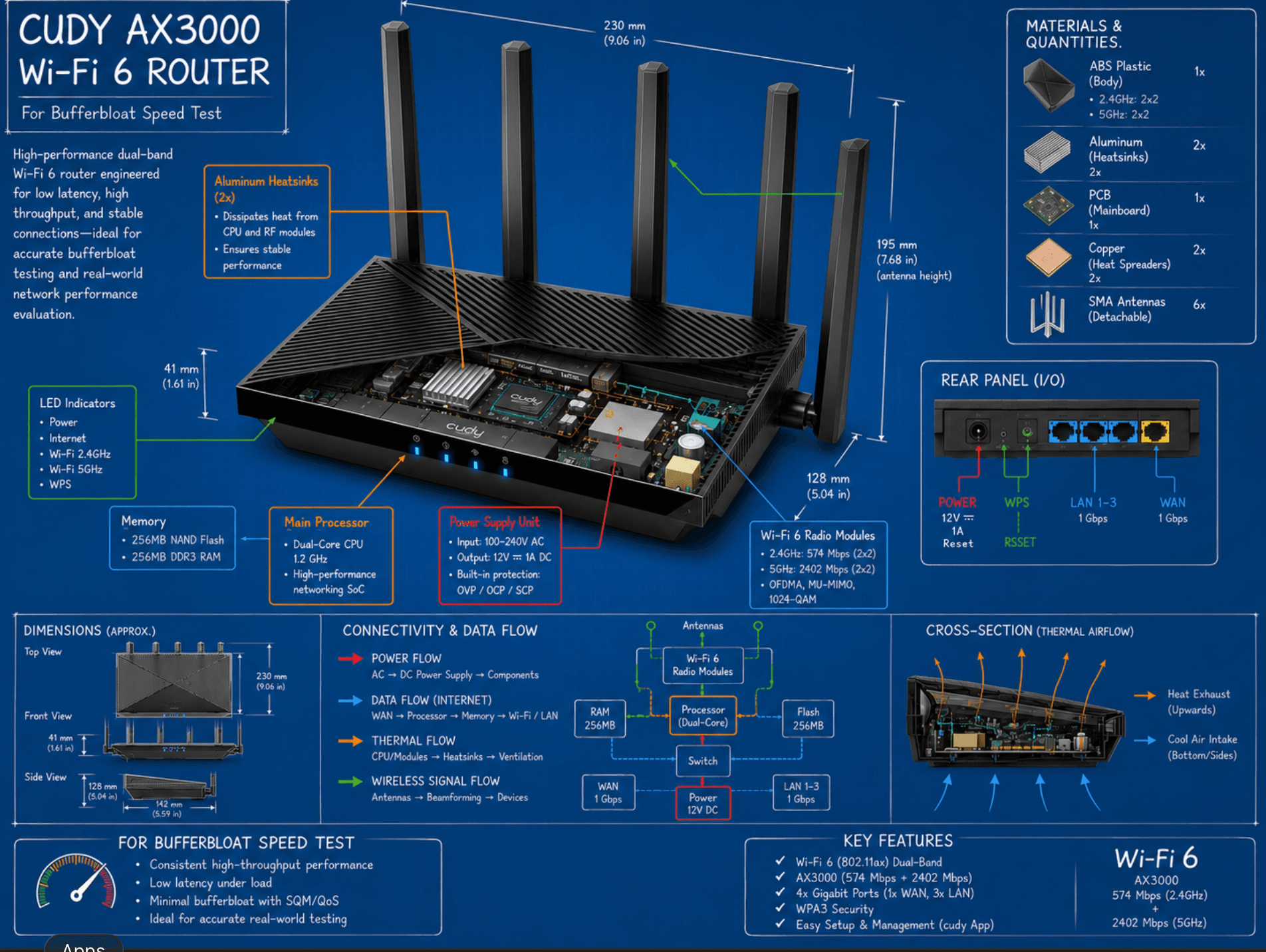
The most effective fix is Smart Queue Management (SQM) on your router, using algorithms like fq_codel or CAKE. Many modern routers include this under names like QoS, Adaptive QoS or Anti-Bufferbloat. Set it to your real-world speeds and the latency spike usually disappears.
Other quick wins: use an ethernet cable instead of Wi-Fi, pause large downloads and cloud sync while gaming or streaming, limit upload-heavy apps, and reboot your router if ping stays high even when idle. If your grade is a D or F and your router has no QoS option, upgrading to a router with SQM support typically makes the biggest difference.
What is a good ping, jitter and latency grade?
For online gaming, an idle ping under 30 ms is excellent and under 60 ms is fine for most games. Jitter, the variation between pings, should stay under 5 to 10 ms for stable gameplay. For streaming and video calls, latency matters less but sustained throughput and low packet loss matter more.
On this test, an A or A+ means your latency barely changes under load and your connection is in great shape. B is good for everyday use. C means noticeable lag when the line is busy. D and F mean severe bufferbloat that will affect gaming, live streaming and calls until it is fixed.
Browser-based test using Cloudflare endpoints. The 60-second test transfers a significant amount of data, so avoid running it on a limited mobile data plan. For the most accurate read, use a wired connection and close other tabs.
How to Read Your Results: The Three Common Patterns
Every connection produces a slightly different latency timeline, because every modem, router and ISP handles queues differently. These are the three patterns we see most, and what each one means.
Latency spikes during the download phase
Your idle ping is flat, then the line jumps the moment the DOWNLOAD band starts. This means the buffer sitting on your download path is too large, usually inside your ISP’s modem or street cabinet equipment. In daily life this is the pattern where your game lags whenever Steam updates, Windows downloads patches, or someone starts streaming in another room. Fibre connections often show only a small download spike, while cable and DSL connections tend to show a bigger one because of how their hardware queues traffic.
Latency spikes during the upload phase
Idle is fine, download is decent, but the line climbs steeply in the UPLOAD band. This is the most common pattern on home broadband, and usually the worst one. Most connections are asymmetric, something like 500 Mbps down but only 50 to 100 Mbps up, so the upload queue is a much narrower pipe that fills almost instantly. This is why video calls freeze when someone backs up photos to the cloud, and why going live on Twitch or YouTube can wreck the ping for everyone else in the house. If your upload spike is large, prioritising a fix here gives the biggest real world improvement.
Latency stays flat the whole way through
The dream result. Your line shows little or no increase under load, which means either your equipment has sensible queue management built in, or your ISP runs modern queue algorithms upstream. Connections like this hold an A or A+ grade and handle gaming, streaming and calls at the same time without drama. If this is you, bufferbloat is not your problem, and any lag you feel is more likely packet loss or routing. Run a live packet loss test to check the next suspect.
You may also see mixed results between runs. Bufferbloat readings move with whatever else is on your network, so a phone syncing in the background can shift a result noticeably. Test a couple of times at quiet moments for your true baseline.
Bufferbloat for Gaming: Where Ping Spikes Hurt Most
Online games send small packets constantly, and every one of them suffers when a queue builds. High latency under load shows up in game as input delay, rubber banding, teleporting players and shots that should have hit. Cloud gaming services are even more sensitive, since every frame you see travels over the connection.
A useful habit: if your bufferbloat grade is good but a specific game still feels off, the problem is probably between you and that game’s servers rather than inside your home. Check whether you are connecting to the right region with our server region finder, and if a particular title stutters, a game specific check like the Battlefield 6 packet loss test can isolate it. It is also worth knowing how much internet speed gaming actually needs, because the answer is far less than most people pay for. Bandwidth rarely fixes lag. Latency does.
One more gaming scenario worth naming: downloading a game while playing another. With bad bufferbloat this is unplayable, and it is exactly what the download phase of our test simulates. If you want to plan around it instead, our game download time calculator tells you how long that 120 GB install will take, and the games data usage calculator shows what your play sessions actually consume.
Bufferbloat for Streaming: Live Sports, FIFA Matches and Netflix
Streaming has its own relationship with bufferbloat, and live content is the sensitive one. On demand platforms like Netflix and YouTube buffer well ahead, so they ride out short latency spikes with no visible effect, which is why a connection can earn a C grade and still stream 4K films perfectly.
Live sports are different. World Cup matches, Premier League games, UFC events and other live streams run only a few seconds behind real time, so the player has almost no buffer to lean on. When your latency spikes because someone else is using the connection, a live stream drops quality, stutters, or shows the spinning wheel right as the ball reaches the box. If your stream of a FIFA match buffers while a Netflix film plays fine, that is not a coincidence. It is bufferbloat squeezing the stream with the smallest cushion.
Broadcasting is the harshest case of all. Going live pushes constant data up your connection, the narrow side of the pipe, so upload bufferbloat directly causes dropped frames and disconnects for streamers. If you create content, the upload phase of this test is the number to watch.
How to Fix Bufferbloat
The good news is that bufferbloat is one of the most fixable internet problems, and the fix usually costs nothing.
The proper solution is Smart Queue Management, known as SQM, using algorithms like fq_codel or CAKE. These keep queues deliberately short so small time sensitive packets never wait behind bulk data. Many routers already include this under names like QoS, Adaptive QoS, Dynamic QoS or Anti Bufferbloat. Switch it on, set your real world speeds about 5 to 10 percent below what the speed test shows, and rerun this test. Most people jump two full grades.
Beyond that, the practical wins are familiar but effective. Use ethernet instead of Wi-Fi where possible, since wireless adds its own queuing and retransmissions. Schedule big downloads and cloud syncs away from gaming and streaming hours. And if your router has no queue management at all and you graded D or F, a router that supports SQM is the single upgrade that changes daily life most, far more than paying for a faster plan.
Does a VPN make bufferbloat better or worse?
Usually slightly worse, because a VPN adds encryption overhead and an extra hop. But there is a twist: some VPN setups cap your throughput below your line speed, which accidentally prevents the queue from filling and can reduce visible bufferbloat. That is masking the symptom rather than fixing it. SQM on your router is the real solution.
Does mobile internet like 4G and 5G have bufferbloat?
Yes, often more than fixed broadband. Mobile networks use large buffers to smooth out radio signal changes, so latency under load on 4G and 5G can swing heavily. If you game on a mobile hotspot, expect more variation between runs of this test.
How much data does this test use?
The test saturates your connection for 40 of the 60 seconds, so data usage depends on your speed. On a 500 Mbps line it can transfer a few gigabytes. Run it on home broadband rather than a capped mobile plan.
Will upgrading to a faster internet plan fix my bufferbloat?
Usually not. A faster plan makes the pipe wider, but the oversized buffer is still there and still fills whenever the line saturates. Some upgrades even make it worse if the ISP supplies the same modem with bigger queues. Queue management fixes bufferbloat. Bandwidth does not.
Is bufferbloat the same as jitter?
They are related but not the same. Jitter is the variation between individual pings, while bufferbloat is the overall rise in latency when the connection is under load. Bad bufferbloat almost always produces high jitter too, which is why this test reports both for idle and loaded phases.
Can my ISP fix bufferbloat from their side?
Sometimes. A few ISPs now ship modems with built in queue management, and some cable providers have rolled out low latency upgrades on their networks. It is worth asking your provider, but most people get a faster result by enabling SQM on their own router instead of waiting.