Now Reading: Game Servers vs Game Hosting – Which is Best for You.
- 01
Game Servers vs Game Hosting – Which is Best for You.

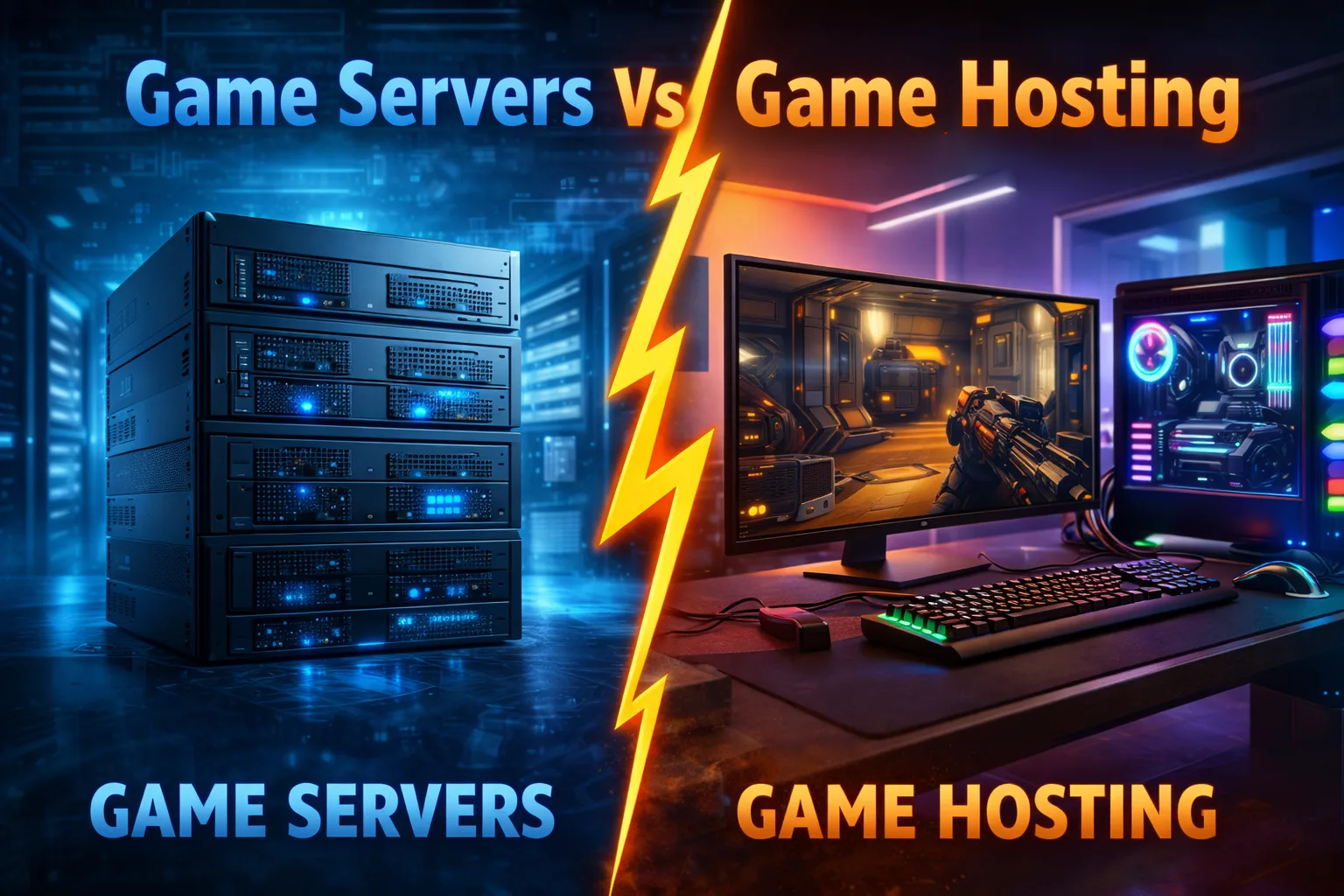

When you’re ready to host your own gaming experience, understanding the difference between game servers and game hosting is crucial. Whether you’re planning to run a Minecraft realm for friends or launch a competitive Counter-Strike tournament, choosing the right infrastructure can make or break your gaming experience. This comprehensive guide breaks down everything you need to know about game servers, game hosting, and which solution fits your specific needs.
What is a Game Server?
A game server is a dedicated computer or software application that runs game instances and manages multiplayer connections. It acts as the central hub where players connect to participate in online gaming sessions. The server processes game logic, synchronizes player actions, manages game states, and ensures all connected clients experience consistent gameplay.
Think of a game server as the referee and scorekeeper in a sports match—it maintains the rules, tracks what’s happening, and ensures everyone plays fairly. When you join a multiplayer game, your client (gaming device) communicates with the game server, which then relays information to other players in real-time.
What is a Game Server Used For?
Game servers serve multiple critical functions in the gaming ecosystem:
- Multiplayer coordination: They synchronize actions between multiple players, ensuring everyone sees the same game state
- Authority and anti-cheat: Servers act as the authoritative source of truth, preventing cheating by validating player actions server-side
- Persistent worlds: For MMORPGs and survival games, servers maintain the game world even when players log off
- Community building: Custom servers allow communities to create unique gaming experiences with modified rules, maps, and gameplay
- Performance optimization: Dedicated servers reduce latency issues compared to peer-to-peer connections
- Matchmaking services: They facilitate player connections and balance competitive matches
Before committing to any server solution, it’s essential to understand your network capabilities. Testing your internet speed and checking which ISP you’re using can help determine if you have sufficient bandwidth for hosting.
Game Server Examples
Popular game server implementations include:
- Minecraft Server: Java Edition servers that support plugins like Bukkit, Spigot, or Paper
- Counter-Strike: Global Offensive: Community servers with custom maps and game modes
- ARK: Survival Evolved: Private servers with adjusted taming rates and difficulty settings
- Rust: Community servers featuring various player counts and modified gathering rates
- Valheim: Dedicated servers for cooperative Viking survival
- FiveM Servers: Modified GTA V multiplayer experiences—learn more about FiveM hosting for custom roleplay servers
- Team Fortress 2: Community servers with custom maps and game modes
- 7 Days to Die: Cooperative survival horror servers
Each server type requires specific software, configuration knowledge, and hardware resources depending on the expected player count and mod complexity.
What is Game Hosting?
Game hosting refers to the service of renting server infrastructure from a hosting provider who manages the physical hardware, network connectivity, and often the server software itself. Instead of purchasing and maintaining your own server hardware, you pay a monthly fee to use servers managed by professionals.
Game hosting companies specialize in providing optimized infrastructure for gaming workloads. They handle hardware maintenance, DDoS protection, network optimization, and often provide one-click installation tools for popular games. This managed approach removes technical barriers and lets you focus on building your gaming community rather than troubleshooting server issues.
For those considering more advanced solutions, understanding VPS hosting for game servers can open up additional customization possibilities.
Game Servers vs Game Hosting: Key Differences
| Aspect | Self-Hosted Game Server | Managed Game Hosting |
|---|---|---|
| Control | Complete administrative access and customization | Limited by hosting provider’s panel and policies |
| Technical Knowledge | Requires networking, security, and system administration skills | Minimal technical expertise needed; user-friendly control panels |
| Initial Cost | High upfront investment in hardware ($500-$5000+) | Low entry cost with monthly subscriptions ($5-$100/month) |
| Maintenance | You handle all updates, security patches, and hardware failures | Provider manages infrastructure, updates, and hardware |
| Scalability | Limited by your hardware; upgrades require new equipment | Easy scaling with plan upgrades or resource adjustments |
| Network Quality | Depends on your ISP and home connection | Professional-grade bandwidth with low latency routing |
| Uptime | Vulnerable to power outages and ISP issues | 99.9% uptime guarantees with redundant systems |
| Performance | Constrained by local hardware and upload speeds | Optimized hardware in data centers with high-speed connectivity |
| DDoS Protection | Requires separate solutions and expertise | Included in most hosting packages |
Difference Between Game Servers and Game Hosting
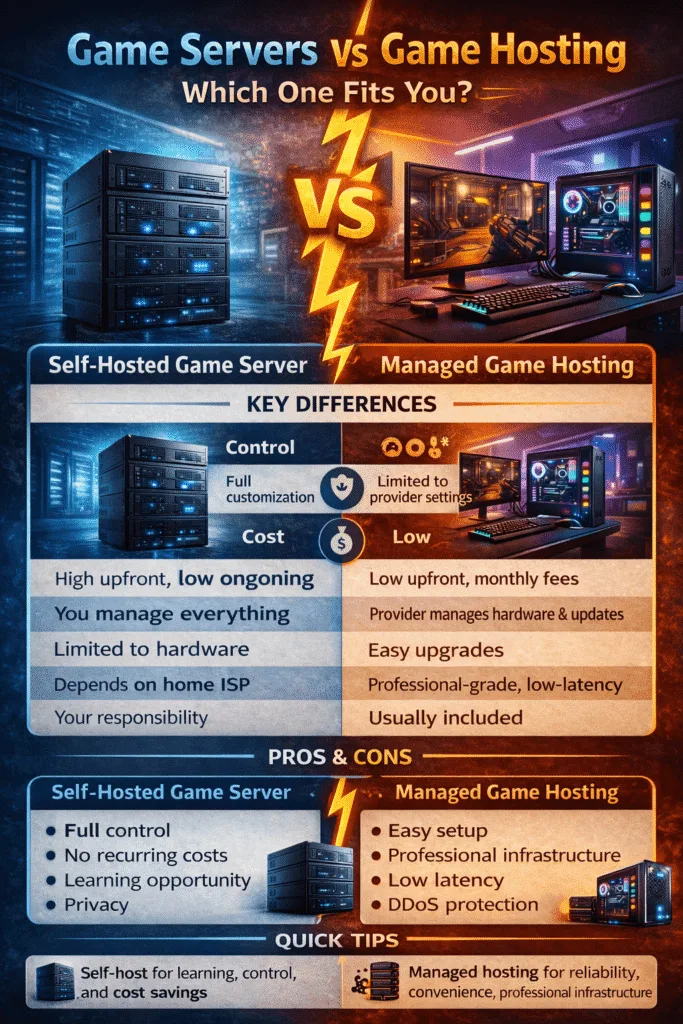
Self-Hosted Game Server: Deep Dive
What You Need to Know
Running a self-hosted game server means using your own computer or dedicated machine to host game instances. This could be your gaming PC, an old computer repurposed as a server, or a custom-built server machine running 24/7.
Hardware Requirements:
- CPU: Multi-core processor (4+ cores recommended for most games)
- RAM: 8GB minimum, 16GB+ for modded servers or high player counts
- Storage: SSD strongly recommended for faster world loading and reduced lag
- Network: Stable connection with sufficient upload bandwidth (10+ Mbps minimum)
Software Components:
- Operating system (Windows Server, Linux distributions like Ubuntu or Debian)
- Game server software specific to your chosen game
- Port forwarding configuration on your router
- Firewall rules to allow game traffic
- Optional monitoring and backup solutions
Pros of Self-Hosted Game Servers
Complete Control and Customization You have unrestricted access to all server files, configurations, and settings. Install any mods, adjust any parameters, and create truly unique gaming experiences without provider restrictions. Want to run experimental plugins or custom code? You can do anything your technical skills allow.
No Recurring Costs After the initial hardware investment, your only costs are electricity (typically $10-30/month) and your existing internet bill. Over time, this can be significantly cheaper than monthly hosting fees, especially for long-term projects.
Learning Opportunity Managing your own server teaches valuable skills in system administration, networking, security, and troubleshooting. These competencies transfer to professional IT contexts and provide deeper understanding of how online infrastructure works.
Privacy and Data Control All game data, player information, and world saves remain on your hardware. You’re not dependent on a third-party provider’s policies, data handling practices, or business continuity.
Cons of Self-Hosted Game Servers
Technical Complexity You’ll need to understand networking concepts like port forwarding, static IP addresses, and firewall configuration. Software installation, dependency management, and troubleshooting errors require patience and technical aptitude.
Time Investment Server maintenance isn’t a “set it and forget it” affair. You’ll spend time on security updates, software patches, backup management, and resolving technical issues. When problems arise at 2 AM, you’re the one fixing them.
Home Network Limitations Your ISP’s upload speed becomes the bottleneck. Most residential connections offer asymmetric bandwidth (high download, low upload), limiting player capacity. Some ISPs also prohibit running servers or implement carrier-grade NAT that complicates hosting.
Reliability Concerns Power outages, hardware failures, and ISP issues cause downtime. Without redundancy and backup power, your server goes offline when problems occur. Your server’s availability depends entirely on your local infrastructure.
Security Responsibilities You’re responsible for protecting against DDoS attacks, unauthorized access, and security vulnerabilities. Without proper configuration, your server and home network could be compromised, potentially exposing personal data.
For self-hosted setups, regularly running a ping test helps monitor your server’s responsiveness to players from different locations.
Managed Game Hosting: Deep Dive
What You Need to Know
Managed game hosting providers operate data centers with specialized hardware optimized for gaming workloads. They offer various service tiers from shared hosting (multiple game servers on one machine) to dedicated servers (entire machine for your use).
Service Types:
- Shared Hosting: Budget-friendly, adequate for small communities (5-20 players)
- VPS Hosting: Virtual private server with guaranteed resources, more isolation
- Dedicated Servers: Entire physical server for maximum performance and control
- Cloud Hosting: Scalable resources with pay-as-you-grow pricing models
Pros of Managed Game Hosting
Simplicity and Convenience Most providers offer one-click installation for popular games, intuitive control panels, and pre-configured environments. You can launch a server in minutes without understanding Linux commands or network configuration.
Professional Infrastructure Benefit from enterprise-grade hardware, redundant network connections, and data center reliability. Hosting providers invest in high-performance CPUs, fast NVMe storage, and low-latency network routing specifically optimized for gaming.
Superior Network Performance Data centers maintain multiple high-bandwidth internet connections with direct peering to major ISPs. This results in lower latency for players worldwide compared to residential internet connections. Running a Call of Duty: Warzone ping test can help you understand latency differences.
Built-in DDoS Protection Quality hosts include DDoS mitigation that automatically detects and filters malicious traffic before it reaches your server. This protection would cost hundreds of dollars monthly if purchased separately.
Scalability Upgrade or downgrade your plan as your community grows or shrinks. Add more RAM, CPU cores, or player slots without purchasing new hardware or migrating to a different machine.
Support and Maintenance Technical support teams handle infrastructure issues, provide guidance on configuration, and manage hardware replacements. Many hosts offer 24/7 support through tickets, live chat, or phone.
Cons of Managed Game Hosting
Recurring Costs Monthly fees accumulate over time. A mid-tier server costing $30/month equals $360 annually—potentially more expensive than self-hosting over multiple years.
Limited Customization Hosts impose restrictions on certain configurations, software installations, or resource usage. You can’t make low-level system changes or install software outside the provider’s ecosystem.
Provider Dependency Your server’s fate is tied to the hosting company’s reliability and business practices. If they experience outages, change policies, or go out of business, your community suffers. Migration between hosts can be complex.
Shared Resource Concerns On shared hosting plans, noisy neighbors (other servers consuming excessive resources) can impact your server’s performance. This is less common with VPS or dedicated options but occurs frequently in budget shared hosting.
Configuration Learning Curve While easier than self-hosting, you still need to understand the hosting panel, game-specific settings, and basic troubleshooting. Each provider’s interface differs, requiring adaptation if you switch hosts.
Game Server Price Considerations
Understanding the cost structure helps you budget appropriately for your gaming infrastructure.
Self-Hosted Server Costs
Initial Hardware Investment:
- Budget build: $500-800 (capable of hosting 10-20 players)
- Mid-range server: $1000-2000 (handles 30-50 players with mods)
- High-end dedicated machine: $3000-5000 (100+ players, multiple game servers)
Ongoing Expenses:
- Electricity: $10-30/month depending on hardware and usage
- Internet: Usually covered by existing plan, but consider upgrade costs
- Cooling and maintenance: Variable, factor in potential component replacements
Hidden Costs:
- Static IP address: Some ISPs charge $5-15/month
- Backup solutions: External drives or cloud backup services
- Time investment: Value your hours spent on maintenance and troubleshooting
Managed Hosting Prices
Budget Hosting ($5-15/month):
- Shared resources, 10-20 player slots
- Basic support, limited customization
- Suitable for small friend groups or testing
Mid-Tier Hosting ($20-50/month):
- VPS or better shared hosting, 30-50 player capacity
- Good performance, reasonable support
- Ideal for active communities and modded servers
Premium Hosting ($60-150/month):
- Dedicated resources or high-end VPS
- 75-100+ players, extensive mod support
- Priority support, DDoS protection, automated backups
Enterprise Solutions ($200+/month):
- Dedicated servers, multiple game instances
- Custom configurations, managed services
- For large communities, networks, or commercial operations
Calculating your internet speed requirements for gaming helps determine if self-hosting is viable for your connection.
What is Best for You?
Choose Self-Hosted Game Servers If:
- You have technical expertise in networking and system administration
- Your internet connection offers high upload speeds (50+ Mbps) with low latency
- You want to learn server management and system administration skills
- You’re hosting for a small group of friends with flexible play schedules
- Budget allows for upfront hardware investment but prefers avoiding recurring fees
- You need absolute control over every aspect of server configuration
- Your community size remains stable and predictable (won’t need frequent scaling)
- You can accept occasional downtime for maintenance or technical issues
Choose Managed Game Hosting If:
- You lack technical knowledge or prefer not to handle server administration
- You want your server online 24/7 with minimal downtime
- Your internet connection has limited upload bandwidth
- You need to scale resources up or down based on community growth
- Professional DDoS protection is important for your competitive community
- You value your time more than the cost savings of self-hosting
- You’re running a public server that requires consistent reliability
- Your game benefits from low-latency connections to multiple geographic regions
Hybrid Approach: Best of Both Worlds
Some experienced server operators combine both approaches:
Development Self-Hosted, Production Managed: Test configurations, mods, and updates on a home server before deploying to your production managed server. This prevents breaking your live community while experimenting.
Multiple Games, Multiple Solutions: Host casual, low-population games at home while paying for managed hosting on your main, high-traffic server. This optimizes costs while maintaining quality where it matters most.
Start Managed, Migrate to Self-Hosted: Begin with managed hosting to establish your community and learn server administration. Once you have stable player counts and gained experience, transition to self-hosting for long-term cost savings.
Free Game Server Options
Several platforms offer free game server hosting with limitations:
Aternos and Minehut (Minecraft): Free Minecraft servers with automatic sleep when no players are online. Limited to lower player counts and basic mods, but perfect for casual play.
Oracle Cloud Free Tier: Provides always-free VPS instances suitable for lightweight game servers. Requires technical knowledge to set up but offers genuine cloud infrastructure at no cost.
Game-Specific Free Hosting: Some games like Terraria or Valheim allow peer-to-peer hosting where one player acts as the host. This isn’t a dedicated server but works for small groups.
Limitations of Free Hosting:
- Restricted player slots and server resources
- Frequent advertisements or branding
- Limited uptime (servers may shut down during inactivity)
- No support or slow support response times
- May lack DDoS protection or have shared IP issues
Free hosting is excellent for testing or small friend groups but becomes impractical as communities grow or requirements become more demanding.
Server Games for PC: Popular Titles
Understanding which games have active server communities helps you choose your hosting path:
First-Person Shooters: Counter-Strike: Global Offensive, Team Fortress 2, Battlefield series, Call of Duty titles—all benefit from dedicated servers with low latency and high tick rates.
Survival and Sandbox Games: Minecraft, Rust, ARK: Survival Evolved, 7 Days to Die, Valheim—these games feature persistent worlds requiring 24/7 uptime for the best experience.
MMORPGs and Multiplayer RPGs: World of Warcraft private servers, Lineage II, RuneScape private servers—complex server software with specific hosting requirements.
Strategy and Simulation: Factorio, Satisfactory, Space Engineers—cooperative games that benefit from dedicated hosting for large factories and complex worlds.
Battle Royale: While most battle royale games use official servers, custom game modes and training servers still require private hosting.
Game Server Software
Different games require specific server software:
Open-Source Solutions:
- Minecraft: Paper, Spigot, Bukkit, Forge, Fabric servers
- Source Engine Games: SteamCMD-based installations
- Multi-Game Panels: Pterodactyl, AMP (Application Management Panel)
Official Server Software: Many game developers provide official dedicated server applications through Steam or their websites. These include:
- Valheim Dedicated Server
- ARK Survival Evolved Dedicated Server
- Rust Dedicated Server
- Team Fortress 2 Dedicated Server
Management Panels: Server management becomes easier with control panels:
- Pterodactyl: Open-source game server management panel
- McMyAdmin: Minecraft-specific management solution
- TCAdmin: Commercial multi-game control panel
- Multicraft: Budget-friendly Minecraft panel
Optimization Tips for Both Approaches
Network Optimization
Regardless of your hosting choice, network performance is crucial:
- Configure Quality of Service (QoS) on your router to prioritize game traffic
- Use wired connections instead of Wi-Fi for stability
- Monitor bandwidth usage to identify bottlenecks
- Consider geographic server locations closest to your player base
- Implement connection throttling to prevent bandwidth saturation
Performance Tuning
Optimize server performance through:
- Regular world resets or pruning in survival games to reduce file sizes
- Limiting loaded chunks and render distances based on hardware
- Configuring garbage collection for Java-based servers
- Using performance mods and optimization plugins where available
- Monitoring CPU and RAM usage to prevent overload
Security Best Practices
Protect your server infrastructure:
- Use strong, unique passwords for all administrative access
- Implement whitelist or authentication systems for player access
- Keep all software updated with the latest security patches
- Configure firewalls to only allow necessary ports
- Regular backups to multiple locations (local and cloud)
- Monitor logs for suspicious activity or exploit attempts
Conclusion: Making Your Decision
The choice between self-hosted game servers and managed game hosting ultimately depends on your technical comfort level, budget structure, reliability requirements, and long-term goals. Neither solution is universally superior—each excels in different scenarios.
Self-hosting offers unmatched control and potential cost savings for technically inclined users willing to invest time and accept occasional reliability challenges. Managed hosting provides professional infrastructure, support, and peace of mind at the cost of ongoing subscription fees and some configuration limitations.
For most newcomers, starting with managed hosting provides the smoothest entry into server administration. As you gain experience and your community stabilizes, you can evaluate whether transitioning to self-hosting makes sense for your specific situation.
Consider beginning with a small managed server to test your game concept, build a community, and learn the basics of server administration. Once you understand your requirements and have proven community interest, you can make an informed decision about long-term infrastructure based on real data rather than assumptions.
Whatever path you choose, focus on creating an enjoyable experience for your players. Server infrastructure is merely the foundation—your community, rules, and engagement determine success far more than whether your hardware sits in your closet or a data center across the country.
Can I run a game server on my regular gaming PC?
Yes, you can run a game server on your gaming PC, but it comes with important considerations. Your PC must have sufficient resources (CPU, RAM) to handle both gaming and server hosting simultaneously. For lightweight servers with few players (5-10), this is usually manageable on modern systems. However, running resource-intensive games while hosting can cause performance issues for both your gameplay and server stability. If you’re hosting for friends occasionally, your gaming PC works fine. For 24/7 public servers, a dedicated machine is strongly recommended to ensure consistent uptime and performance. Additionally, your PC must remain powered on and connected to the internet whenever players want to access the server.
How much internet speed do I need to host a game server?
Internet speed requirements vary by game type and player count. Upload speed is the critical factor—not download speed. As a general guideline, budget 1-2 Mbps upload per 10 players for most games. A small Minecraft server (10 players) needs approximately 5-10 Mbps upload, while a 50-player modded server requires 20-30 Mbps. First-person shooters with high tick rates demand more bandwidth per player. Check your current connection with our internet speed test to determine if self-hosting is viable. Beyond raw speed, connection stability and low latency matter significantly. Inconsistent connections cause lag spikes that frustrate players. Most residential internet plans have asymmetric bandwidth (high download, low upload), which can limit hosting capacity even if your download speeds are excellent.
What’s the difference between a dedicated server and a VPS for gaming?
A dedicated server is an entire physical machine allocated exclusively to you, providing maximum performance, complete resource control, and no resource sharing with other users. You get all the CPU cores, RAM, storage, and bandwidth without competition. VPS (Virtual Private Server) hosting divides a physical server into multiple virtual instances, each operating independently with guaranteed resource allocations. While you share the underlying hardware, your resources are isolated and protected from other VPS users. Dedicated servers offer better performance for demanding games with 100+ players or multiple simultaneous game instances, but cost significantly more ($100-300+/month vs $20-60/month for VPS). VPS hosting is ideal for most gaming communities under 75 players, offering excellent value with near-dedicated performance. Learn more about VPS hosting for game servers to determine if it matches your needs.
Do I need DDoS protection for my game server?
DDoS (Distributed Denial of Service) protection is highly recommended for any public game server, especially those running competitive games or hosting communities that might attract malicious attention. DDoS attacks overwhelm your server with fake traffic, making it inaccessible to legitimate players. Self-hosted servers are particularly vulnerable since residential internet connections lack enterprise-grade protections. If you’re running a small private server for trusted friends, basic firewall configuration may suffice. However, public servers, competitive gaming communities, or any server advertised publicly should implement DDoS protection. Most managed hosting providers include basic DDoS mitigation in their plans, automatically filtering malicious traffic before it reaches your server. For self-hosted setups, third-party DDoS protection services cost $50-200+ monthly depending on bandwidth requirements and protection levels.
Can I switch from self-hosted to managed hosting (or vice versa) later?
Yes, migrating between hosting solutions is possible, though the complexity varies by game. Most game servers store world data, player information, and configurations in accessible files that can be transferred between systems. The migration process typically involves backing up your server files, downloading them locally, and uploading to your new hosting solution. Minecraft servers migrate relatively easily—copy your world folder, plugins, and configuration files to the new server. Games like ARK or Rust require larger world file transfers but follow similar principles. The main challenges include potential downtime during migration (plan for 1-6 hours depending on file sizes), reconfiguring settings for the new environment, and updating DNS or IP addresses so players can connect to the new location. Many hosting providers offer migration assistance or automated tools. Start by testing your backup on the new system before fully transitioning to ensure everything works correctly and minimize community disruption.
Previous Post
Next Post