Now Reading: 8 Best Game Server Hosting Providers
- 01
8 Best Game Server Hosting Providers



I’ve run servers, broken servers, and spent way too many nights staring at a TPS counter trying to figure out why a box that should have been fine was chugging at 20 players.
So let me save you some time.
You searched “best game server hosting” because something is going wrong, or you’re about to spend money and don’t want it to go wrong. Either way, the article you were about to read was going to hand you a table of providers, a couple of CPU names, a “starting at” price, and a signup button. That’s it. Nobody was going to ask the actual question: why is your server lagging in the first place, and will renting a new box even fix that.
That’s the part everyone skips. So we’re not skipping it.
If you’ve got 45 FPS, 20ms ping, a clean PC, and your Minecraft server still chokes every time someone opens a chest full of items, you’re not dealing with a hosting problem yet. You’re dealing with an unknown.
Same story if your Rust server was fine for three weeks and then started rubber banding and dropping packets right after a wipe, with nothing in your setup touched.
Is that your ISP routing you through a bad hop. Is it bufferbloat on your router queuing packets under load. Is your server’s tick rate collapsing because entity count crept up over the wipe cycle. Or is your host quietly running you on a shared node that gets hammered every time their other customers spike. Nobody tells you which one it is, because almost nobody bothers to explain the difference.
Most “best game server hosting” roundups skip straight past that and hand you a spec sheet instead. AMD Ryzen 9 9950X3D here, NVMe storage there, a DDoS protection badge, done. As if buying a server on a flagship CPU automatically means smooth gameplay.
It doesn’t. I’ve seen a server on a genuinely fast chip lag hard because the region was wrong for the playerbase, or because the connection between the player and the datacenter was taking a garbage route, or because the “unlimited slots” plan was one wipe away from running out of headroom. Hardware is one variable. It’s not the whole equation, and most articles treat it like it is.
This guide is built the way I’d actually explain it to someone in Discord asking “why does my server suck.” We start with the confusion, because that’s where you actually are right now. I went through real threads, Steam discussions, hosting forums, admin subreddits, the actual questions people ask when something’s broken, not the polished FAQ answers hosting companies write for themselves. Here’s where we’re headed:
- How to actually tell whether it’s your PC, your Wi-Fi, your ISP, or the server itself. This is the single most common point of confusion across every game community I looked at, from ARK: Survival Ascended to Valheim to Counter-Strike 2. Most players never figure this out and just give up.
- What actually causes lag, rubber banding, and packet loss. Bufferbloat, bad ISP peering, neighborhood bandwidth congestion at peak hours, MTU mismatches on the network side. Low tick rate, entity buildup, and post-wipe performance drift on the server side, especially in games like Rust and Palworld where population and object count scale non linearly.
- The real difference between self-hosting, VPS hosting, and managed game server hosting. Nobody explains this fork clearly even though it’s the first decision you actually have to make, before you even look at a single provider.
- What actually matters once you’re comparing hosts. Not RAM tiers and “unlimited slots” marketing copy, but node contention (are you sharing hardware with strangers), real latency by region instead of a vague ping test button, uptime SLAs that mean something, database access for plugin-heavy servers, and refund windows that are usually buried three pages deep.
- A genuinely researched comparison of the best game server hosting providers in 2026, covering Minecraft server hosting, Rust server hosting, ARK server hosting, Palworld server hosting, and the other big survival and sandbox titles. Real pricing, disclosed hardware where it exists, and a clear callout of what each provider doesn’t tell you upfront.
I’m not here to rank hosts by whoever’s got the best affiliate deal or the shiniest homepage. I want you to actually fix the problem you came here with, whether that means sorting out your home network first, understanding what’s happening server-side, or picking the right dedicated game server hosting provider for your specific game, region, and player count once you actually know what you’re diagnosing.
Let’s start with the part almost nobody explains properly: how do you actually know if it’s your computer, your connection, or the server.
The Quick Answer, If You Don’t Want to Read the Whole Thing
Not everyone wants the full diagnostic breakdown right now, some of you just want a name before your friends log on tonight. Here’s the short version.
| Rank | Provider | Best For | Starting Price | Why |
|---|---|---|---|---|
| 1 | BisectHosting | Overall pick, mixed groups who swap games | ~$3.00/GB RAM | Fastest support (avg. 15 min reply), free game swapping across 110+ titles, flat honest pricing |
| 2 | Apex Hosting | Minecraft and heavy modpacks | $5.99/mo (2GB) | Real published pricing, 24/7 live chat, EX Series gives disclosed hardware (Ryzen 9, dedicated cores) |
| 3 | Shockbyte | Budget servers, small friend groups | ~$2.50-2.99/GB RAM (NA/EU) | Cheapest per GB in North America/Europe, verified partnerships with Facepunch (Rust) and Jagex (RuneScape) |
BisectHosting wins overall because nothing else about it will annoy you later. Support is fast, pricing is simple, and you’re not locked into one game.
Apex Hosting is the pick if Minecraft or modpacks are your main thing. Their EX Series is the rare case where you actually know what CPU you’re paying for.
Shockbyte wins on price if you’re in North America or Europe. Skip it if your players are mostly in Asia Pacific, since pricing roughly doubles there.
Now let’s get into why your server is actually lagging, and whether a new host will even fix it.
Full Ranked Comparison: 8 Game Server Hosting Providers
BisectHosting – Best Overall
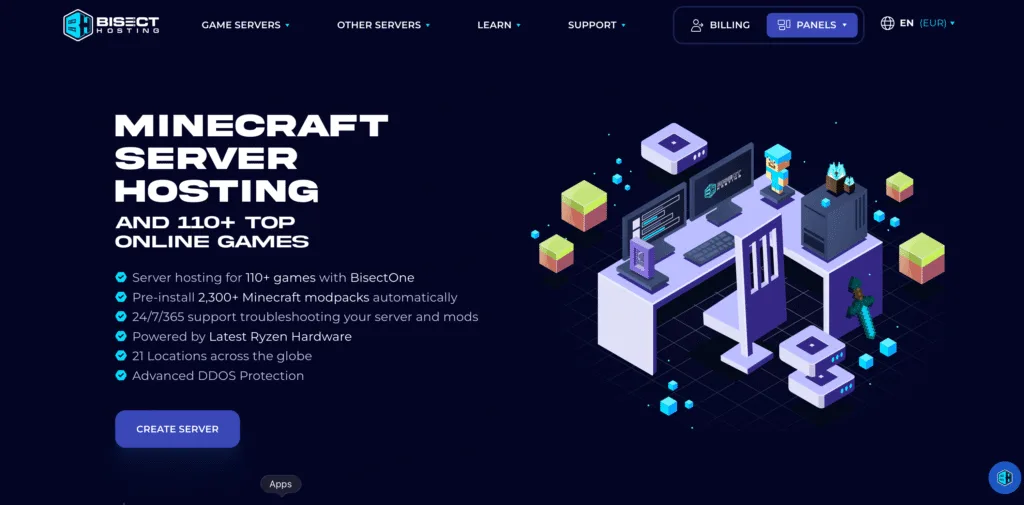
BisectHosting has been running Minecraft and multi-game hosting since 2011, and it shows in the small details that usually go wrong elsewhere. Instead of locking you into slot counts or vague tiers, pricing is a flat rate per gigabyte of RAM, which makes it genuinely easy to compare against anyone else on this list without doing mental math. What actually sets them apart though is support speed. An average reply time under 15 minutes is the fastest confirmed number of any provider in this comparison, and when a modpack breaks at 11pm on a Friday, that’s the difference between an annoyance and a ruined night.
The other thing worth calling out is game swapping. If your friend group cycles through Minecraft, then Valheim, then ARK depending on the week, BisectHosting lets you swap between any of their 110+ supported games for free, with no restrictions on which titles pair with which. Most competitors either don’t offer this at all or lock it to a short list of “compatible” games. With 23,000+ reviews sitting at 4.8 stars, this isn’t a small sample size either.
Key specs:
- Pricing: ~$3.00/GB RAM per month, discounts at quarterly (2.70), semi-annual (2.55), annual (20% off)
- Hardware: AMD Ryzen and Intel Xeon mix, exact CPU model not disclosed on standard plans
- Locations: 21 worldwide
- Support: average reply under 15 minutes, 24/7
- Modpacks: 2,300+, one-click install
Reasons Why Bisecthosting is best for you: if you want one host that just works without babysitting, and your group doesn’t stick to a single game, this is the safest pick on the list. The one tradeoff is hardware transparency, you won’t know your exact CPU model on the standard tier, so if you’re running something CPU-heavy at scale, ask support which node type you’ll land on before you commit.
Apex Hosting – Best for Minecraft and Modpacks
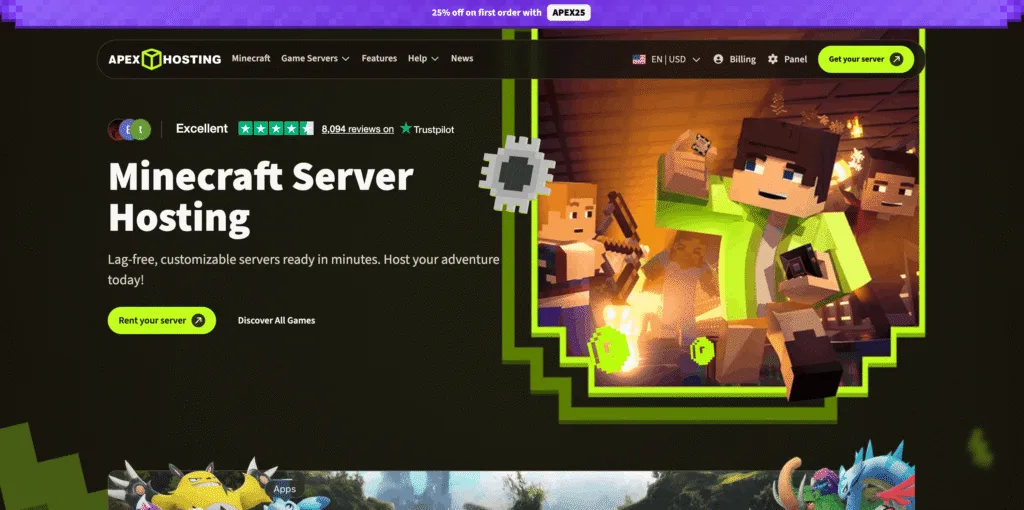
Apex earns its spot for one reason most competitors avoid: they actually publish real pricing on the page instead of hiding it behind a signup flow. You can see exactly what 2GB costs versus 8GB versus 32GB before you ever create an account, which sounds basic until you realize how few providers in this space actually do it. Their standard plans run from $5.99 a month for 2GB up to $77.99 for 32GB, and the pricing scales in a fairly predictable way per gigabyte through the middle of that range.
Where Apex really separates itself is the EX Series. This is a dedicated tier that discloses the actual chip, a Ryzen 9 7950X or Ryzen 9 5900X depending on region, with 4 dedicated vCores and a 4.8GHz clock speed. Almost nobody else in this comparison tells you exactly what silicon you’re renting, they just say “high performance” and leave it there. If you’re running a demanding modpack like All The Mods 10 or RLCraft and don’t want to gamble on shared hardware, EX Series is worth the jump from the standard tier.
Key specs:
- Pricing: $5.99/mo (2GB) to $77.99/mo (32GB), EX Series from $53.99/mo
- EX Series hardware: Ryzen 9 7950X or Ryzen 9 5900X, 4 dedicated vCores, 4.8GHz, 16GB DDR4
- DDoS mitigation: up to 300Gbps
- Support: 24/7 live chat, not just tickets
- Modpacks: 200+, one-click installer
Reasons Why Apex Hosting is best for you: if Minecraft and modpacks are your main use case and you want to know exactly what hardware you’re paying for, Apex is the clearest option here, but only on the EX Series. The standard, non-EX tiers don’t disclose CPU model at all, which is the one real gap in an otherwise transparent lineup.
Shockbyte – Best Budget Option (NA/EU)
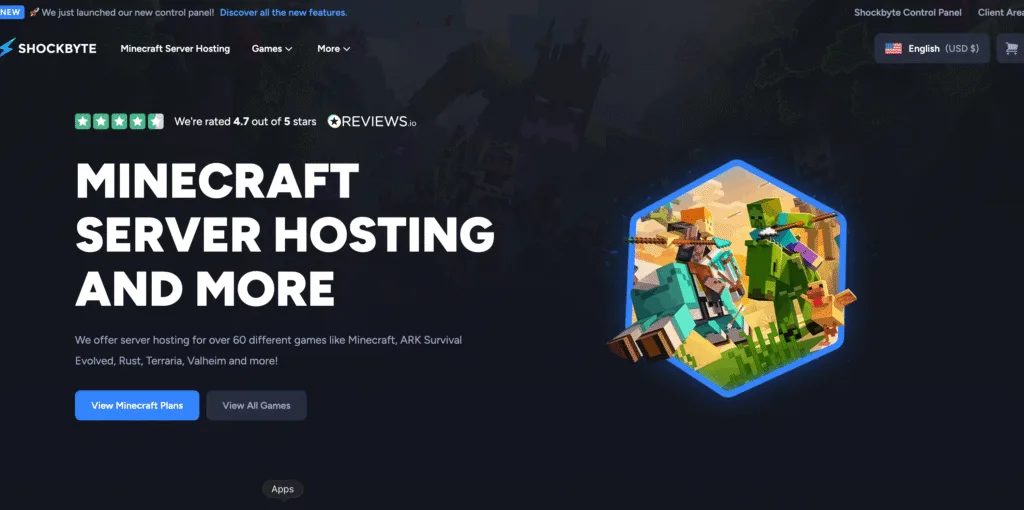
Shockbyte has been a Minecraft specialist since 2013, longer than most names on this list, and that specialization shows in their pricing. At roughly $2.50 to $2.99 per gigabyte of RAM in North America and Europe, it’s genuinely one of the cheapest ways to get a real server online without cutting corners on features like DDoS protection or automated backups. What makes them more credible than the usual budget host is that they’ve got actual named partnerships with Facepunch, the studio behind Rust, and Jagex, the studio behind RuneScape, which is a level of industry backing nobody else in this comparison can point to.
The catch, and it’s a real one, is that you don’t get to choose your exact CPU at checkout. Shockbyte runs a mixed fleet including AMD Ryzen 9 7950X (boosting to 5.7GHz) and AMD EPYC 4465P, but which one you land on depends on the node you’re auto-assigned to. If your group is mostly in Asia Pacific, also budget for roughly double the price, their APAC pricing is $5.00/GB versus $2.50 to $2.99 elsewhere.
Key specs:
- Pricing: $2.50-2.99/GB (NA/EU), $5.00/GB (Asia Pacific)
- Hardware: AMD Ryzen 9 7950X, AMD EPYC 4465P, node auto-assigned, not selectable
- Uptime: 99.9% SLA with DDoS mitigation guaranteed within minutes
- Founded: 2013, oldest Minecraft specialist in this comparison
- Partnerships: Facepunch (Rust), Jagex (RuneScape)
Reasons Why shockbyte is best for you: if you’re in North America or Europe and want the lowest real cost per gigabyte without picking an unknown budget brand, this is the pick. Skip it if your community is mostly APAC-based, the price difference changes the math significantly.
4. Godlike.host – Best for Fast Setup and Flash Deals
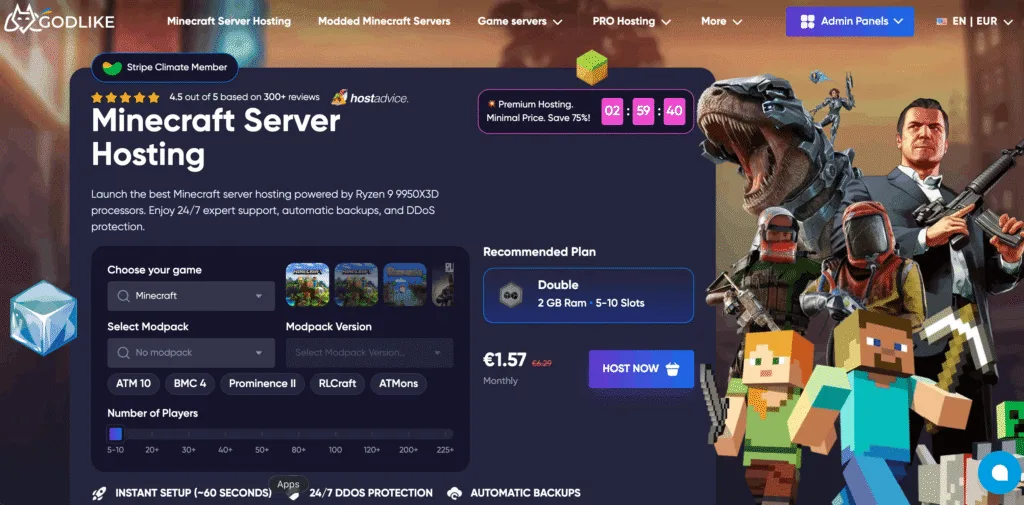
Godlike leans hard into speed and aggressive promo pricing, and to their credit, the hardware backing it up is real. They publish AMD Ryzen 9 9950X3D and AMD EPYC 9474F chips with a clock range of 3.6 to 5.7GHz, which is the most specific number any provider in this comparison puts on paper. Setup is also genuinely fast, under 2 minutes for a vanilla server and around 10 minutes for something heavy like RLCraft or ATM10, both figures they state outright rather than leaving vague. If you’re curious how long a modpack that size would actually take to download on your own connection first, our game download time calculator gives a realistic estimate before you even sign up.
DDoS protection is handled through Path.net at 12TB of capacity, a named vendor with a real number attached, which is more transparency than most competitors offer on this specific point. The tradeoff is that pricing across their own site is inconsistent, promo banners and page copy don’t always match, and like most flash-sale driven hosts, the price you see on day one usually isn’t the price you’re paying by month three.
Key specs:
- Pricing: heavily promo-driven, Minecraft from ~$1.60-3.19/mo, ARK from ~$6.42/mo
- Hardware: AMD Ryzen 9 9950X3D, AMD EPYC 9474F, 3.6-5.7GHz
- DDoS: 12TB via Path.net
- Locations: 12 regions clearly listed
- Setup time: under 2 min (vanilla), ~10 min (heavy modpacks)
Reasons Why Godlike Hosting is best for you: if you want to be playing within minutes and don’t mind tracking when the next flash sale drops, Godlike delivers on speed and genuinely solid hardware. Just don’t assume the launch price is your long-term price, recheck the renewal cost before committing.
GPORTAL – Best for Official ARK and Conan Exiles Hosting
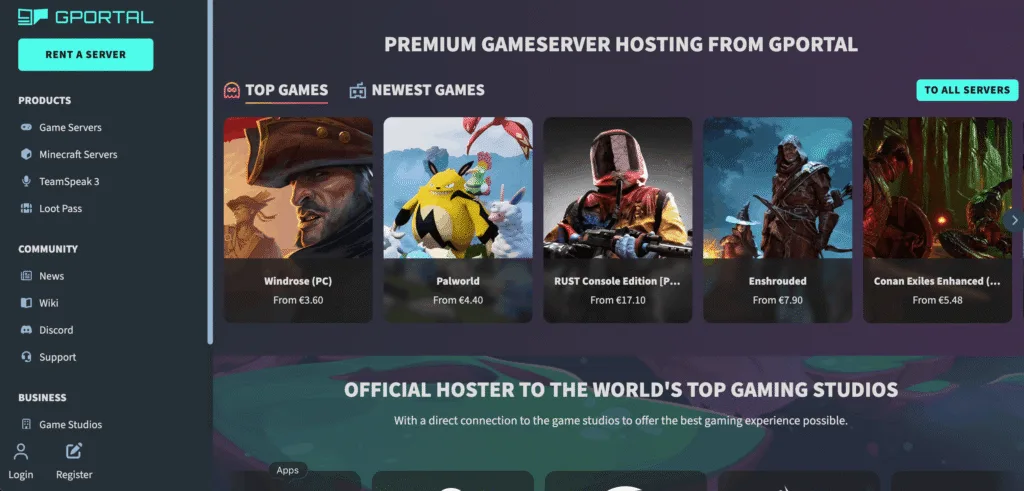
GPORTAL has been running since 2003, making it one of the oldest names in this entire space, and it’s the official hosting partner for both ARK and Conan Exiles, which matters if you specifically want that studio-backed relationship. Under the hood, their infrastructure is more interesting than their marketing lets on, they run Intel Xeon Gold 6254 and Platinum 8268 processors with Intel Optane persistent memory on Minecraft nodes specifically, engineering choices that let them run far more concurrent instances per physical server. None of that appears anywhere in their customer-facing pages, which is a strange gap for infrastructure this genuinely capable.
DDoS protection comes through a combination of Bulwark and Corero, both named and multi-layered. Game swapping exists through their Gamecloud feature, but it’s restricted to specific pairings, Minecraft can only swap with Project Zomboid or Hytale, for example, which is worth knowing before you assume you can hop freely between any two games in their catalog.
Key specs:
- Pricing: Minecraft $6.15-8/mo (2-6GB), other titles $0.80-20.99 on 3-day teaser pricing
- Hardware: Intel Xeon Gold 6254, Platinum 8268, Optane memory on Minecraft nodes
- DDoS: Bulwark + Corero, multi-layered
- Official partner: ARK, Conan Exiles
- Game swapping: restricted to specific pairs, not universal
Why it’s best for you: if ARK or Conan Exiles is your main game and the official-partner backing matters to you, GPORTAL is a legitimate pick. For most other games, you’re paying more than budget hosts for comparable RAM, and single-thread performance trails Ryzen-based competitors on this list.
Survival Servers – Best for Slot-Based Pricing on Survival Titles
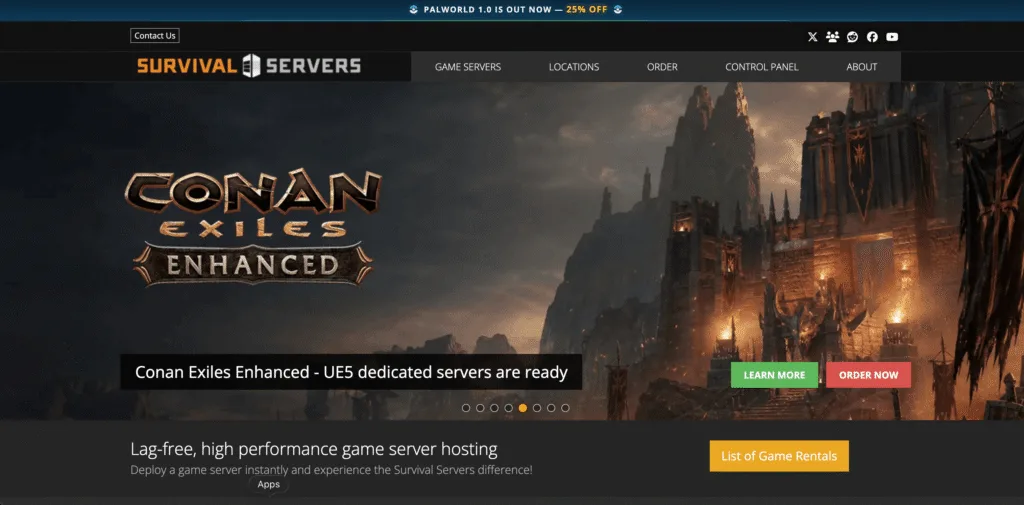
Survival Servers takes a different approach than most of this list, pricing by player slot instead of by gigabyte of RAM. For games like Rust and ARK where you think in terms of “how many players do I need to support” rather than “how much memory do I need,” that framing can actually be easier to reason about. Pricing starts genuinely low, Rust from $0.53 per slot and ARK from $0.44 per slot, though the total cost scales with however many slots your community actually needs.
They’ve been around since 2012 and maintain one of the largest game catalogs in this comparison, including a genuinely unusual habit of tracking 80+ unreleased games in advance so admins can reserve ahead of launch. The downside is transparency, their homepage shows almost no pricing at all, you have to click into a specific game page to see real numbers, and their general hardware language (“latest CPUs”) is vaguer than anyone else on this list, even though individual game pages do occasionally list real baseline specs.
Key specs:
- Pricing: per-slot, Rust from $0.53/slot, ARK from $0.44/slot, Minecraft from $1.32
- Hardware: vague on homepage, game pages list real specs (e.g. Intel i7 4790k, i7 6700, Ryzen 5 for Rust)
- Founded: 2012
- Catalog: 100+ live games, 80+ tracked pre-release
Why it’s best for you: if you think in player slots rather than RAM, or you’re planning ahead for a game that hasn’t launched yet, this is worth a look. Just expect to do some digging, pricing and specs aren’t visible until you’re several clicks in.
Nitrado – Best (Really Only Option) for Console ARK and DayZ
Nitrado is the biggest name in this entire list by brand recognition, and for console players running ARK or DayZ, it’s often not really a choice at all, it’s the official licensed hosting partner on PlayStation and Xbox for both titles. That licensing lock-in is the entire reason to consider them if you’re on console. Billing works differently here too, instead of a standard monthly charge, Nitrado uses a prepaid 30-day credit system that counts down as your server runs, which gives some flexibility to pause or extend but makes your real monthly cost harder to track than a flat subscription.
Independent reviewers have flagged real, confirmed weaknesses worth knowing before you commit. Cheaper plans run on shared infrastructure, which has been linked to TPS drops during peak hours or right after a major patch. Minecraft plans specifically lack MySQL database support, a real dealbreaker if you’re running a plugin-heavy server. Support quality is generally fine outside peak periods but noticeably slower during them, a pattern echoed across multiple third-party reviews.
Key specs:
- Pricing: prepaid 30-day credit system, roughly $22.59/mo and up
- Hardware: shared infrastructure on cheaper plans
- Official partner: ARK, DayZ (console)
- Database: no MySQL support on Minecraft plans
- Support: inconsistent during peak/patch weeks
Reasons Why Nitrado best for you: if you’re on console and playing ARK or DayZ, this may genuinely be your only real option. If you’re PC-only and price-sensitive, nearly every other host on this list beats Nitrado on cost and transparency.
Cherry Servers — Best for Full Root Access (Bare Metal)
Cherry Servers is the outlier on this list, it’s a bare-metal provider rather than a managed game panel, which means full root access instead of a point-and-click interface. That’s a meaningful difference: you’re responsible for configuring everything yourself, but in exchange you get a dedicated AMD Ryzen 7700X or EPYC 4564P box running at 4.5GHz single-thread, with nobody else sharing that hardware, ever. For admins who want zero node contention and total control, that’s worth the extra setup effort.
Billing is also unusual in a good way, Cherry Servers offers hourly billing alongside the usual monthly option, which is genuinely useful for one-off tournaments or short community events where paying for a full month doesn’t make sense. Backed by a 99.97% uptime SLA and 100TB of free monthly egress, it’s built for people who know what they’re doing rather than beginners.
Key specs:
- Billing: hourly or monthly
- Hardware: AMD Ryzen 7700X, EPYC 4564P, 4.5GHz single-thread, dedicated (no sharing)
- Bandwidth: 100TB free monthly egress
- Uptime: 99.97% SLA
- Locations: 6 (Europe, US, Singapore), no Latin America/Africa/Oceania
Why it’s best for you: if you’re technical enough to manage your own server and want zero compromise on shared hardware, or you need short-term hourly billing for an event, Cherry Servers is the right tool. It’s not built for beginners who want a managed panel experience.
Which Host Is Actually Best for Your Game? (Based on Real Community Data)
Spec sheets tell you one story. Reddit and Steam Community threads tell you another, and the two don’t always agree. Here’s what actually shows up when real admins and players talk about specific games, pulled from Steam Discussions, r/admincraft, r/MinecraftServer, and r/feedthebeast threads rather than marketing copy.
Minecraft
- BisectHosting and Apex are the two names that keep coming up across Reddit-sourced Minecraft hosting roundups as the “hand-holding” picks for people new to hosting
- Shockbyte gets recommended constantly for beginners on a budget, but its support is repeatedly flagged as slower than the other two during busy periods
- The most common complaint isn’t downtime, it’s unstable performance during normal play, rubber-banding, delayed block breaking, and TPS drops even when the RAM looks like it should be enough
- That pattern points back to node contention more than anything else
ARK: Survival Ascended
- Wildcard, the game’s developer, gave Nitrado exclusive commercial hosting rights, so most PC players don’t have a real alternative unless they self-host
- Community sentiment toward Nitrado’s ARK performance is genuinely rough, one widely-upvoted Steam thread called it “one of the worst game server hosters,” citing servers disappearing, crashing, and lag spiking at premium prices
- When players are asked which host they’d actually choose freely, GPORTAL comes up as the preferred alternative, mainly for faster support response during server issues
- Self-hosting is popular among serious ARK admins too, ASA needs roughly 16GB of RAM and 2 dedicated CPU cores per map, and running multiple maps quickly outgrows a shared managed plan
Palworld
- Multiple threads report tick rate dropping from 60 to 20 with just four players active, purely from AI processing load, regardless of which host you’re on
- This means a “better” host won’t fully fix Palworld’s lag at higher player counts, it’s a game-engine limitation, not a hosting one
- GPORTAL gets recommended repeatedly as a working alternative to Nitrado, which multiple threads describe as “awful” for Palworld specifically
Valheim
- The most forgiving game on this list for hardware, community threads consistently note a home PC handles 3 to 7 players fine with no paid hosting at all
- When people do rent, recommendations are scattered and genuinely subjective
- GPORTAL shows up as a long-term happy customer pick, but so do several smaller regional hosts
- Most experienced users say server location relative to your player base matters more than brand
Rust
- Community sentiment leans toward per-slot pricing as the more intuitive model for this game
- Shockbyte gets consistently cited as good value, with the caveat that support response times can lag during busy periods
- Scalacube also comes up often in wider Rust hosting roundups for simple slot-based plans and full FTP access, though it isn’t part of our core 8-provider comparison above
Best Host by Game: Quick Reference Table
| Game | Reddit/Community Top Pick | Runner-Up | Real Caveat Worth Knowing |
|---|---|---|---|
| Minecraft | BisectHosting | Apex Hosting | Node contention causes most reported lag, not raw specs |
| ARK: Survival Ascended | Nitrado (only real PC option) | GPORTAL (if self-hosting isn’t for you) | Nitrado is exclusive by licensing, not by merit, community rates it poorly |
| ARK: Survival Evolved (legacy) | GPORTAL | Survival Servers | No exclusivity here, more real competition than ASA |
| Palworld | GPORTAL | Shockbyte | Tick rate drops are a game engine limit, not fixable by switching hosts |
| Valheim | GPORTAL | Self-hosting | Home PC handles small groups fine, don’t overspend for 3-7 players |
| Rust | Shockbyte | Survival Servers | Per-slot pricing is the community-preferred model for this game |
| Conan Exiles | GPORTAL | Survival Servers | Official partner status matters here, real support during patches |
| DayZ (console) | Nitrado | None (licensing lock-in) | Same story as ARK, official partner, not necessarily best performer |
Hardware Comparison: What CPU and Storage You’re Actually Paying For
Specs get buried in marketing language across this entire industry, so here’s every provider’s actual disclosed hardware side by side. Where a provider doesn’t publish real numbers, that’s worth noting on its own, vague language usually means shared or inconsistent hardware underneath.
| Provider | CPU | Clock Speed | Storage | Dedicated or Shared |
|---|---|---|---|---|
| BisectHosting | AMD Ryzen / Intel Xeon (model not disclosed) | Not disclosed | NVMe | Shared on standard tier |
| Apex Hosting (EX Series) | Ryzen 9 7950X / Ryzen 9 5900X | 4.8GHz, 4 dedicated vCores | NVMe | Dedicated (EX only) |
| Apex Hosting (standard) | Not disclosed | Not disclosed | SSD/NVMe | Shared |
| Shockbyte | AMD Ryzen 9 7950X, AMD EPYC 4465P | Up to 5.7GHz (Ryzen), 5.4GHz (EPYC) | NVMe | Shared, node not selectable |
| Godlike.host | AMD Ryzen 9 9950X3D, AMD EPYC 9474F | 3.6-5.7GHz | NVMe, DDR4/DDR5 | Shared |
| GPORTAL | Intel Xeon Gold 6254, Xeon Platinum 8268 | Up to 4.4GHz single-thread | NVMe + Optane persistent memory (Minecraft nodes) | Shared |
| Survival Servers | Intel i7 4790k, i7 6700, or Ryzen 5 (Rust baseline, varies by game) | Not disclosed generally | Not disclosed generally | Shared |
| Nitrado | Not disclosed | Not disclosed | Not disclosed | Shared, flagged for contention by reviewers |
| Cherry Servers | AMD Ryzen 7700X, EPYC 4564P | 4.5GHz single-thread | NVMe | Dedicated (bare metal, no sharing) |
A few things stand out once you put it side by side. Cherry Servers is the only provider on this list where you never share a physical machine with another customer, which is the tradeoff you make for managing everything yourself. Apex only discloses real hardware on its EX Series, the standard tiers are a black box like most of the industry. GPORTAL’s use of Intel Optane memory on Minecraft nodes is genuinely unusual and lets them run more concurrent servers per box, but that detail never shows up in their actual marketing, you’d only find it by digging through their engineering blog. And more than half the list either doesn’t publish a CPU model at all or only discloses it on a premium tier, which is worth remembering the next time a homepage promises “lag-free performance” without saying what’s actually running it.
Is It Your PC, Your Network, or the Server? Here’s How to Actually Check
Before you switch providers again, it’s worth ruling out whether hosting is even the problem. This is the part almost every hosting article skips, and it’s the reason people switch providers three times without fixing anything. Lag has four possible sources, and they need completely different fixes.
| Where the problem lives | What it looks like | Quick way to check |
|---|---|---|
| Your PC | Low FPS, stutter that matches your own screen, not what others see | Task Manager during play, check CPU/GPU load and background apps |
| Your home network | Wi-Fi drops, ping spikes during downloads or streaming in another room | Run a live ping test wired, then again on Wi-Fi to compare |
| Your ISP or route | Good speed test, bad in-game ping, packet loss that comes and goes | Run a packet loss test and check who your ISP actually is if you’re on a reseller plan |
| The server itself | Everyone on the server lags at once, not just you | Check server TPS/tick rate, ask other players if they see it too |
A real example that comes up constantly on Rust and Conan Exiles forums: a player with a great PC, clean 20ms ping, and a wired connection still gets rubber banding and random disconnects. Nine times out of ten this isn’t the player’s fault at all, it’s either packet loss somewhere between their ISP and the server’s datacenter, or the server itself is overloaded and dropping ticks under load. You cannot fix that by upgrading your graphics card. You fix it by testing the actual route, and if the route is clean, by looking at whether the server needs a better host.
FPS versus TPS is the confusion that trips up almost everyone. FPS (frames per second) is how smooth the game looks on your screen. It’s entirely local to your PC. TPS, or tick rate, is how often the server updates the game world, twenty times per second is the healthy target for Minecraft. When TPS drops below that, blocks take longer to break, mobs stutter, and redstone gets weird, even if your own FPS is perfectly fine. If your FPS is high but the world still feels laggy, that’s a server-side problem, not a you problem.
What Actually Causes Server Lag (Not Just “Bad Hosting”)
Before blaming the host, it helps to know what’s actually happening under the hood.
Network-side causes:
- Bufferbloat. Your router queues up packets when the connection is under load, adding delay that a normal speed test won’t catch. This is one of the most underdiagnosed causes of gaming lag and it has nothing to do with your download speed. Run our bufferbloat test to check whether your own router is the problem before blaming anything else.
- ISP routing. Your traffic doesn’t always take the shortest path to the game server. A bad peering agreement between your ISP and the host’s network can add real latency even when everything else looks fine. Our ISP tool can show you which network you’re actually routed through.
- Wi-Fi instead of Ethernet. Still the single most common fixable cause reported in troubleshooting threads.
- Background bandwidth use. Cloud backups, game launchers, and Windows Update quietly eating upload bandwidth while you play. If you’re not sure how much a specific game actually needs, our game data usage calculator breaks it down per title.
- Peak hour congestion. Shared neighborhood bandwidth gets squeezed hardest between 6pm and 11pm, right when most people are trying to play. Run an internet speed test at your usual play time versus mid-afternoon to see if this is actually happening to you.
Server-side causes:
- Low tick rate under load. More entities, more players, more plugins all eat into the server’s ability to keep up 20 TPS in Minecraft or an equivalent tick target in other games.
- Post wipe or post patch drift. Rust admins report servers running fine for weeks, then slowing down again right after a wipe, even with nothing intentionally changed, simply because entity and object counts build back up differently each cycle.
- Non-linear player scaling. Rust in particular does not scale in a straight line. Going from 50 to 100 players doesn’t just double the load, it can more than double it.
- Node contention. This is the one hosting companies rarely explain clearly. Budget and even some mid-tier plans put multiple customers on the same physical machine. If someone else on your node spikes their CPU usage, your server can lag even though nothing on your end changed.
Self-Hosting, VPS, or Managed Game Server Hosting: Pick the Right Lane First
This decision happens before you compare providers seriously, and almost nobody frames it clearly.
| Option | Control | Setup Effort | Cost | Best For |
|---|---|---|---|---|
| Self-hosted (your own PC) | Full | High | Free, but uses your bandwidth/power | Testing, tiny private groups |
| VPS / dedicated server | Full root access | Medium, you configure everything | Often cheapest per GB | Technical users who want full control |
| Managed game server hosting | Limited to game settings | Low, mostly one-click | Higher per GB, but zero setup | Most players and communities |
If you’re comfortable with a config file and don’t mind managing updates yourself, a VPS is usually the cheapest real option. If you just want to play tonight without touching a terminal, managed game server hosting is worth the premium. Either way, it’s worth checking whether your own upload connection can even support hosting players from home first, our internet speed calculator for gaming gives you a realistic read on that before you decide. Most of the providers ranked above fall into that managed category.
What Actually Matters When You Compare Hosts
Skip the marketing checklist. These are the things that actually predict whether you’ll be happy in three months:
- Disclosed hardware. Does the provider tell you the actual CPU model and clock speed, or just say “high performance”? Vague language usually means you’re on shared, unpredictable hardware.
- Real regional latency, not just a ping test button. Test from where your actual players are, not where the company’s server list looks impressive. Our own server region finder is built exactly for this, checking live ping against real regions instead of guessing.
- Node contention risk. Ask or check reviews for whether budget tiers share hardware with other customers.
- Database support. MySQL or MariaDB access matters a lot if you’re running plugins. Some hosts (Nitrado, for one) don’t support this on Minecraft plans at all.
- Game swapping. If your group jumps between games, check whether swapping is free and unrestricted, or locked to a small list of “compatible” titles.
- Refund window. Usually three to seven days. Read it before you pay for a year upfront.
- Support response time, ideally with an actual number, not just “24/7.”
How much RAM do I actually need for a game server?
It depends entirely on the game and player count, not just “more is better.” For Minecraft, 4GB comfortably handles 5 vanilla players, 8GB covers around 20, and heavy modpacks need 12 to 18GB minimum. For ARK: Survival Ascended, plan for at least 16GB per map even with a small group. Buying more RAM than your player count needs won’t fix lag if the real bottleneck is CPU or network, which it usually is.
Can I run mods and plugins on a rented game server?
Yes, on most managed hosts, but check database support first. Plugin-heavy Minecraft servers usually need MySQL or MariaDB access, and not every provider includes it, Nitrado’s Minecraft plans notably don’t. Confirm this before signing up if you’re planning a plugin-heavy build rather than after.
Will I lose my world or save data if I switch hosting providers?
No, not if you do it properly. Every provider on this list supports exporting your world files or database through FTP, and most offer a guided migration path or import wizard for moving from a competitor. Always download a manual backup yourself before you migrate anything, don’t rely solely on the host’s transfer tool.
How many players can a server actually handle before it lags?
There’s no fixed number, it depends on the game and how it scales. Rust in particular scales non-linearly, going from 50 to 100 players can more than double the server load, not just double it. Minecraft depends heavily on how many entities, redstone builds, and plugins are running, not just player count alone. Test with a smaller group first and watch your TPS before assuming a bigger plan is the fix.
Do I need a dedicated IP address for my game server?
Usually not for casual play. Most managed hosts assign a subdomain and shared IP automatically, which is fine for friends joining through a server browser or a shared link. A dedicated IP matters more if you’re running a public server that needs to stay listed reliably, or if you’re on a VPS/bare-metal setup where you’re managing DNS yourself, that’s usually an added cost rather than something included by default.
Related Posts

Previous Post
Next Post