Now Reading: Best Internet Speed for GTA 6 (4K, 1080p and 720p)
- 01
Best Internet Speed for GTA 6 (4K, 1080p and 720p)


The best internet speed for GTA 6 is 100 Mbps download and 10 Mbps upload with a ping under 50 ms. That finishes the 210 GB download in about 5 and a half hours and leaves room for everyone else at home. If you only play, 25 Mbps is enough once the game is installed, and your 4K or 1080p setting makes no difference because your PS5 or Xbox draws the picture itself. Speed only climbs when you stream your gameplay or use cloud play. Use the calculator below to get your own number.
| Use | Minimum | Recommended |
|---|---|---|
| Playing GTA 6 (already installed) | 10 Mbps | 25 Mbps |
| Downloading GTA 6 overnight (8 hours) | 70 Mbps | 100 Mbps |
| Streaming GTA 6 at 1080p 60 fps | 6 Mbps upload | 10 Mbps upload |
| Streaming GTA 6 at 4K on YouTube | 14 Mbps upload | 50 Mbps upload |
| PlayStation cloud streaming at 4K | 52 Mbps (PlayStation’s figure) | 75 Mbps with headroom |
| Online play (GTA Online, GTA 6 Online when it arrives) | 3 Mbps per player | Ping under 50 ms |
GTA 6 Internet Speed Calculator
Pick what you will do with GTA 6 and who else uses your internet. The calculator adds it all up and gives you one download speed, one upload speed and a ping target.
Picture quality (4K, 1440p or 1080p) is drawn by the console itself, so it does not change the internet speed you need to play.
Don’t know your numbers? Run our speed test for gaming, then come back.
Internet speed for GTA 6 by resolution
| Resolution | Playing on PS5 or Xbox | Streaming on Twitch (upload) | Streaming on YouTube (upload) | PlayStation cloud streaming (download) |
|---|---|---|---|---|
| 720p HD | No extra speed | 3 to 4.5 Mbps | 3 to 8 Mbps | 13 Mbps |
| 1080p Full HD | No extra speed | 4.5 to 6 Mbps | 5 to 17 Mbps | 23 Mbps |
| 1440p QHD | No extra speed | Not standard on Twitch | 7 to 34 Mbps | Not offered |
| 4K Ultra HD | No extra speed | Not standard on Twitch | 11 to 50 Mbps | 52 Mbps |
YouTube figures are YouTube’s own H.264 ranges for 30 to 60 fps. Cloud figures are PlayStation’s recommended speeds for PS5 cloud streaming; PS Remote Play from your own console needs less. Twitch figures follow Twitch’s 6 Mbps standard video limit.
Does GTA 6 Need Internet to Play?
You need internet to download GTA 6, install day one patches and sign in, but store listings describe the launch version as a single player game. Rockstar has not announced a date for GTA 6 Online. Once the game is installed and updated, story mode needs very little bandwidth, so a stable 25 Mbps connection is plenty for playing. The big jobs are the first download and anything you do while playing, such as streaming to Twitch or using cloud play.
Does 4K, 1080p or 720p Change the Internet Speed You Need?
No, not for normal play. Your PS5, PS5 Pro, Xbox Series X or Xbox Series S renders every frame itself, then sends it to your TV through HDMI. The internet only carries small game updates such as player positions and actions, and that data is the same size whether you play at 4K or 720p. Resolution only changes your internet needs in two cases: when you stream your gameplay (that uses upload speed) and when you play through cloud streaming (that uses download speed). The table in the calculator shows the exact numbers for each resolution.
Internet Speed to Download GTA 6
GTA 6 is about 210 GB on PS5 and Xbox Series X|S. The times below assume your console gets around 85 percent of your plan speed, which is typical over a good connection.
| Internet speed | GTA 6 download time |
|---|---|
| 25 Mbps | About 22 hours |
| 50 Mbps | About 11 hours |
| 100 Mbps | About 5 h 30 min |
| 200 Mbps | About 2 h 45 min |
| 300 Mbps | About 1 h 50 min |
| 500 Mbps | About 1 h 6 min |
| 1 Gbps | About 33 min (console and store servers often cap lower) |
For a full time estimate with your own speed, use our GTA 6 download time calculator.
Good Internet Speed for Gaming and Streaming GTA 6
Streaming GTA 6 to Twitch or YouTube depends on upload speed, not download. Keep your stream bitrate under about 75 percent of your upload so the game and your stream don’t fight for space. Twitch standard streams top out at 6 Mbps, so 10 Mbps upload covers 1080p 60 fps comfortably. YouTube allows much higher quality: 1080p 60 fps works well at around 12 Mbps, 1440p at around 24 Mbps and 4K at 35 Mbps or more, so a 4K YouTube stream needs at least 50 Mbps upload. If your upload is short, drop one step in resolution or frame rate before lowering anything else.
Internet Speed for PS5 Cloud Streaming and Remote Play
Cloud streaming sends a finished video of the game to you, so here resolution matters a lot. PlayStation recommends 13 Mbps for 720p, 23 Mbps for 1080p and 52 Mbps for 4K cloud streaming, with at least 5 Mbps in both directions to start a session. PS Remote Play from your own console at home is lighter, but the console’s home connection then needs good upload too. For both, a wired connection and a ping under 40 ms matter more than raw speed.
Internet Speed for Gaming Online: Why Ping Matters More
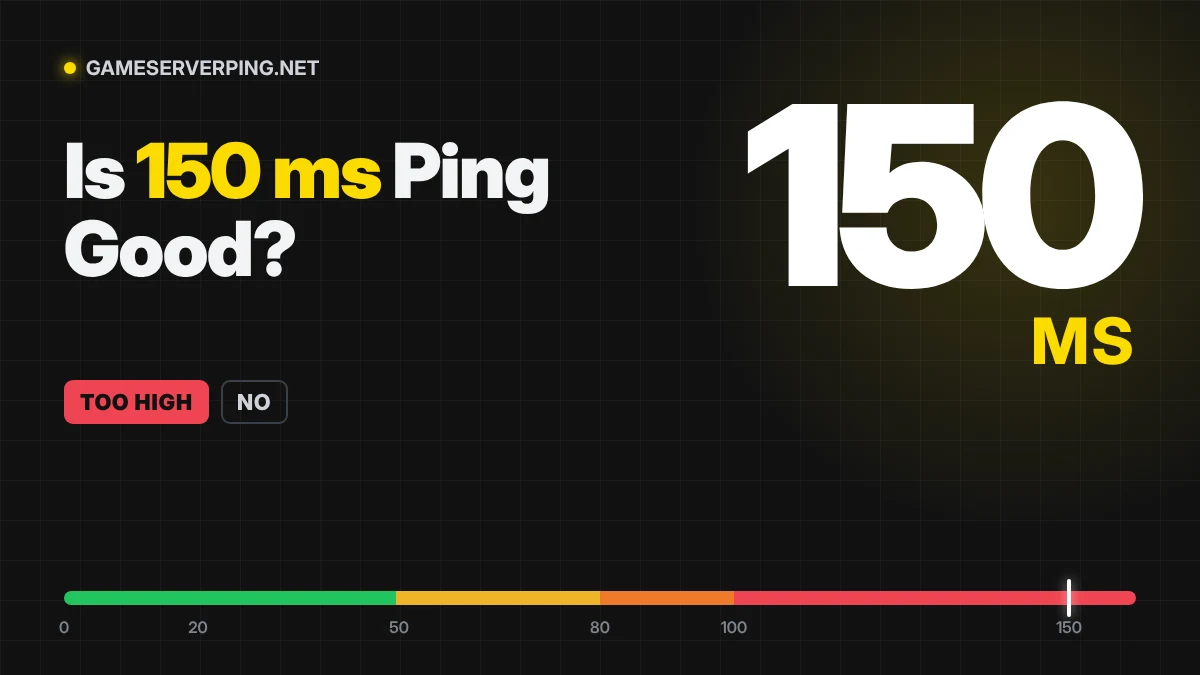
For GTA Online today and GTA 6 Online when it launches, speed is rarely the problem. A single player uses well under 3 Mbps. What decides how smooth it feels is ping, jitter and packet loss. Aim for ping under 50 ms, jitter under 10 ms and no packet loss. A 1 Gbps plan with 120 ms ping will still feel laggy, while a 50 Mbps plan with 20 ms ping will feel sharp.
Is 25, 50 or 100 Mbps Enough for GTA 6?
| Plan | Playing GTA 6 | GTA 6 download | Streaming | Busy home |
|---|---|---|---|---|
| 25 Mbps | Yes | About 22 hours | 720p only, if upload allows | Struggles |
| 50 Mbps | Yes | About 11 hours | 1080p | Fine for 2 to 3 people |
| 100 Mbps | Yes | About 5 h 30 min | 1080p, 1440p on YouTube | Fine for a family |
| 300 Mbps or more | Yes | Under 2 hours | Any, if upload allows | Plenty of room |
How to Get a Faster, Smoother GTA 6 Connection
- Use an Ethernet cable for your console; Wi Fi adds delay and jitter.
- Pause other downloads and 4K video while the GTA 6 install runs.
- Start the preload early so launch day traffic doesn’t slow you down.
- Pick the closest server region and check your ping before you play.
- Test for bufferbloat if lag only appears when someone else is streaming.
- Restart your router once before the big download.
GTA 6 Internet Speed FAQ
What internet speed do I need for GTA 6?
100 Mbps download and 10 Mbps upload with ping under 50 ms is the best all round speed for GTA 6. It downloads the 210 GB game in about 5 and a half hours. Once installed, 25 Mbps is enough just to play.
Does GTA 6 require internet to play?
You need internet to download GTA 6, install updates and sign in. Store listings describe the launch version as a single player game, and Rockstar has not announced a date for GTA 6 Online.
Can you play GTA 6 without internet?
Not at first, because the 210 GB download and day one patch need a connection. After that, story mode should need very little internet, but online features and future updates still require it.
Is 50 Mbps good for GTA 6?
Yes. 50 Mbps is plenty for playing GTA 6 and for streaming at 1080p if your upload allows. The only downside is the download, which takes about 11 hours, so start the preload early.
Does 4K need faster internet than 1080p in GTA 6?
No. Your PS5 or Xbox renders the picture itself, so 4K and 1080p use the same internet speed. Resolution only matters when you stream your gameplay or use cloud streaming.
What is a good internet speed for gaming?
For most gamers, 50 to 100 Mbps download, at least 10 Mbps upload and ping under 50 ms is a good internet speed for gaming. Ping and stability matter more than raw speed once you pass about 25 Mbps.
What upload speed do I need to stream GTA 6?
About 10 Mbps upload streams GTA 6 at 1080p 60 fps on Twitch. YouTube at 1440p needs around 30 Mbps and 4K needs 50 Mbps or more for a stable stream.
What internet speed do I need for GTA Online?
GTA Online uses only a few Mbps per player, so 25 Mbps is enough. A low ping, under 50 ms, and zero packet loss matter far more for smooth sessions.
How many GB is GTA 6?
GTA 6 is about 210 GB on PS5 and Xbox Series X|S. Leave at least 250 GB free so the download and the first patch can install without errors.